What is juice jacking?
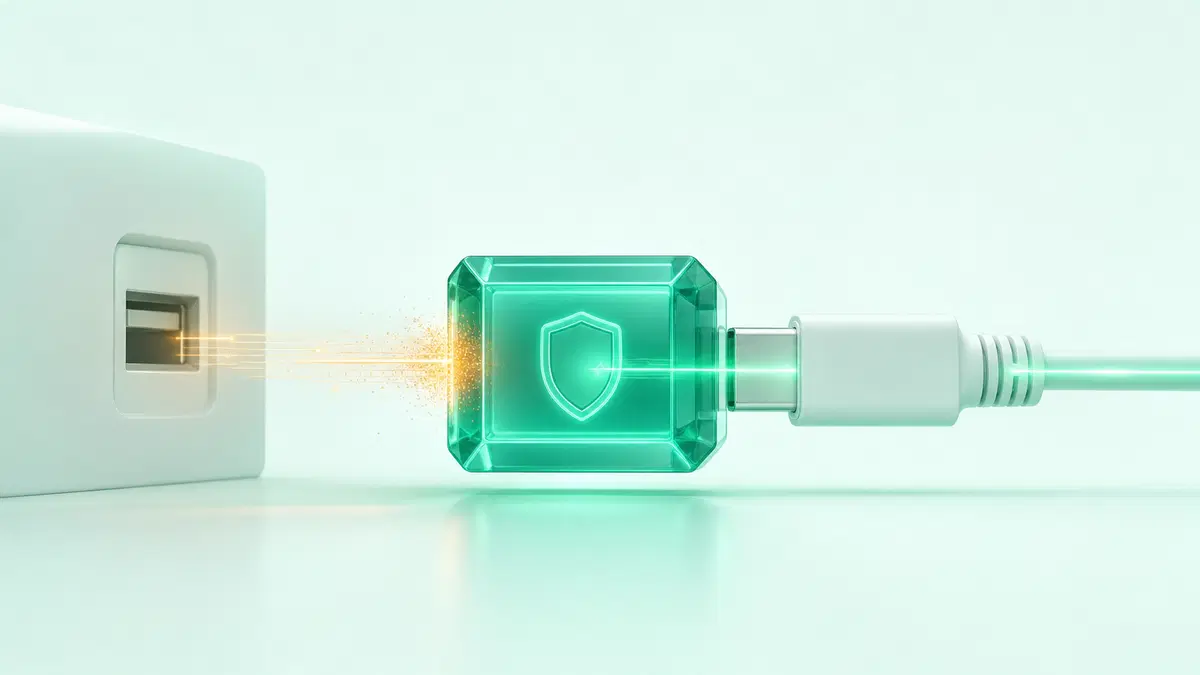
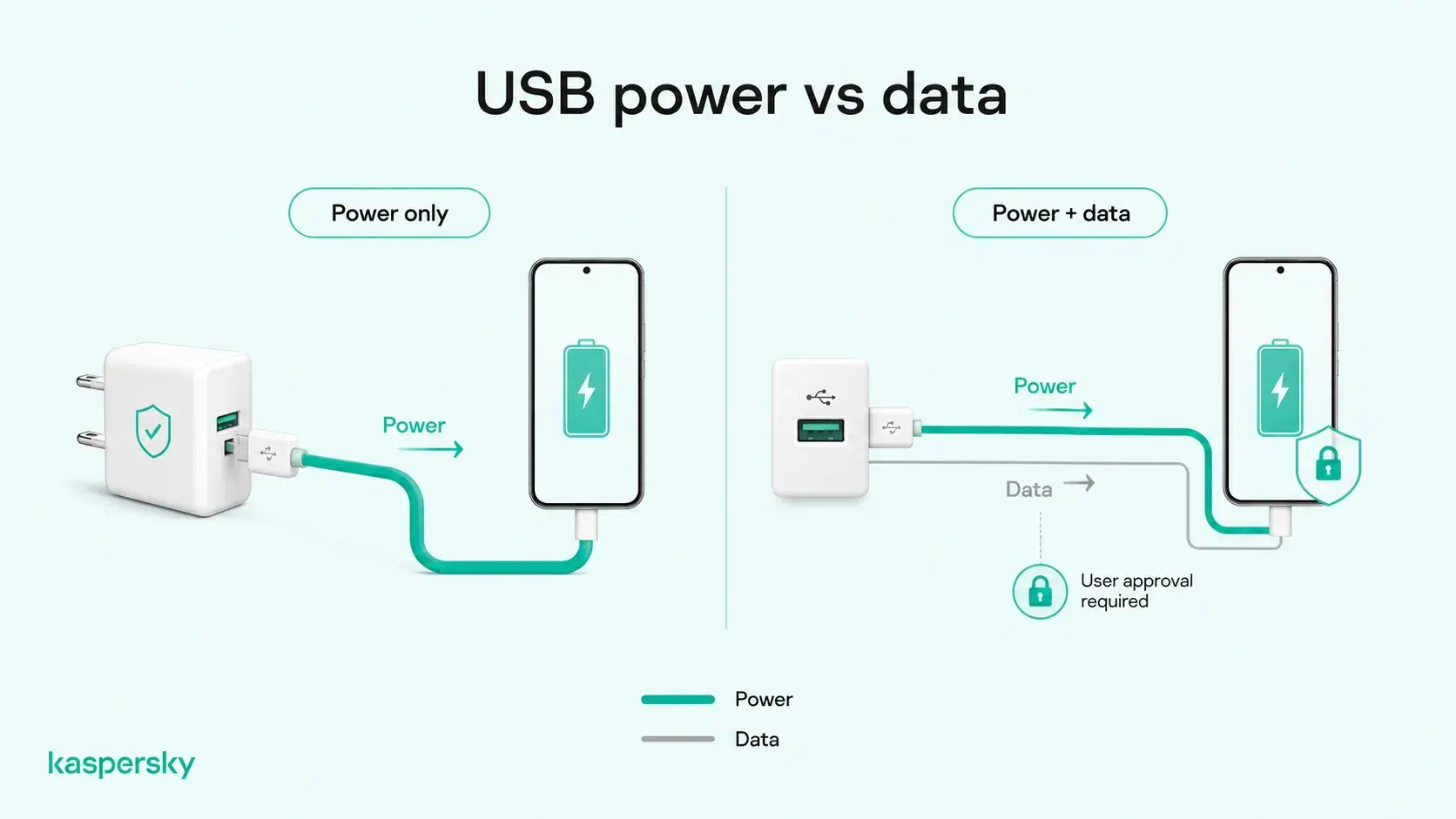
Juice jacking (also known as port jacking) is an attack that exploits a USB charging connection to potentially access a connected device. The risk exists because USB connections can carry both power and data. A compromised charging port or cable may try to establish a data connection as well as charge the device.
The two main concerns are data theft and device compromise, which can potentially expose personal information or allow malicious software to affect the device.
How does juice jacking work?
Juice jacking can occur when a phone or other device is connected to a compromised USB charging port or a malicious USB cable. The connection may attempt to communicate with the device over USB rather than just charging it.
A manipulated public charging station could be configured to request or attempt data access, while a modified cable could contain additional hardware designed to interact with the connected device. Modern phones include protections that limit unauthorized USB access. Simply plugging into a public port does not mean the device has been compromised.
- Juice jacking exploits the fact that USB can carry both power and data.
- The attack may involve a compromised charging port or malicious cable.
- The main risks are data theft and device or malware compromise.
- Modern smartphones include protections that restrict unauthorized USB data connections.
- Using a public USB charger does not automatically mean an attack has occurred.
- Safer options include using a personal wall charger, power bank, charge-only cable, or USB data blocker.
What are the risks of juice jacking?
The main risks of juice jacking are data theft and device compromise. What an attacker could access depends on factors such as the device, operating system, security settings, permissions, and attack method.
Data theft
If a malicious USB connection gains unauthorized data access, it could potentially expose information stored on the device. This might include:
- Photos and videos.
- Contacts and messages.
- Documents and other stored files.
- Account information or other sensitive personal data.
Modern phones restrict USB data access in various ways, so connecting to a compromised port does not automatically expose everything on the device.
Malware and device compromise
A more advanced juice jacking attack could potentially exploit a vulnerable device or authorized USB connection to install malware or make unauthorized changes.
This could include spyware or other malicious software designed to monitor activity, collect information, or maintain unauthorized access to the device. While such attacks are technically possible, they are not a routine consequence of using public USB charging and depend on the device and its security protections.
Independently tested and awarded by the industry's leading labs.



How common is juice jacking?
Juice jacking is a technically demonstrated attack. Documented attacks against ordinary consumers appear to be rare at present. Security researchers have shown that malicious USB ports and cables can potentially exploit the data connection in controlled tests. This is why public agencies and security organizations have issued warnings about the risk.
However, those warnings should be kept in context. Writing for the ACM, cybersecurity expert Tom Kirkham notes that many reported examples of juice jacking come from academic research and demonstrations rather than verified real-world victim reports. This does not mean an attack is impossible, but it suggests the real-world risk is lower than some headlines may imply.
Sensible precautions are still worthwhile, particularly when using older devices or devices that contain sensitive information. At the same time, modern smartphones include built-in protections that make unauthorized USB data access more difficult.
How do modern phones protect against juice jacking?
Modern iPhones and Android devices restrict what an unfamiliar USB connection can do.
On iPhone and iPad, Apple requires the device to be unlocked before a new USB or wired accessory can communicate with it under the default settings. New accessories can also require explicit approval. This depends on the device and configuration.
On many supported Android devices, USB protection can block new USB data connections while the screen is locked and require the user to unlock the device before data transfer is allowed.
These safeguards significantly reduce the risk from an unfamiliar charging connection, although protection still depends on the device and how USB security features are implemented.
How can you tell if your phone has been juice jacked?
There is no single sign that proves your phone has been juice jacked. However, certain behaviors may justify a closer look, especially if they appear soon after using an unfamiliar charging port or cable.
Possible warning signs include:
- Unexpected Trust, Share Data, File Transfer, or similar USB prompts or requests.
- Unfamiliar apps, settings, or permissions appearing on the device.
- Unusual mobile data usage.
- Persistent overheating or excessive battery drain.
- Frequent crashes or unexplained restarts.
- Noticeable and sustained performance changes.
These symptoms can also have ordinary causes, such as an aging battery or software issues. Unexpected USB trust or data-transfer requests are more directly relevant because they indicate that the connection is attempting to do more than simply provide power.
How can you prevent juice jacking?
The simplest way to reduce juice jacking risk is to avoid unnecessary USB data connections when charging away from home. This often means using your own charging equipment whenever possible.
Use safer charging methods
A personal wall charger connected to a standard AC outlet or a power bank is generally preferable because the phone is not relying on an unfamiliar USB data connection.
|
Charging method |
USB data exposure |
Juice-jacking exposure |
|
Personal wall adapter + AC outlet |
None from the power outlet itself |
Low |
|
Personal power bank |
None from a public USB source |
Low |
|
Charge-only USB cable |
Data lines disabled |
Low |
|
USB data blocker |
Blocks data pins while allowing power |
Low |
|
Public USB charging port |
Possible data connection |
Potential |
|
Unknown or borrowed USB cable |
Possible data connection |
Potential |
If a public USB port is the only option, a charge-only cable or USB data blocker can prevent data transfer while still allowing the device to charge.
Protect your phone when using public USB
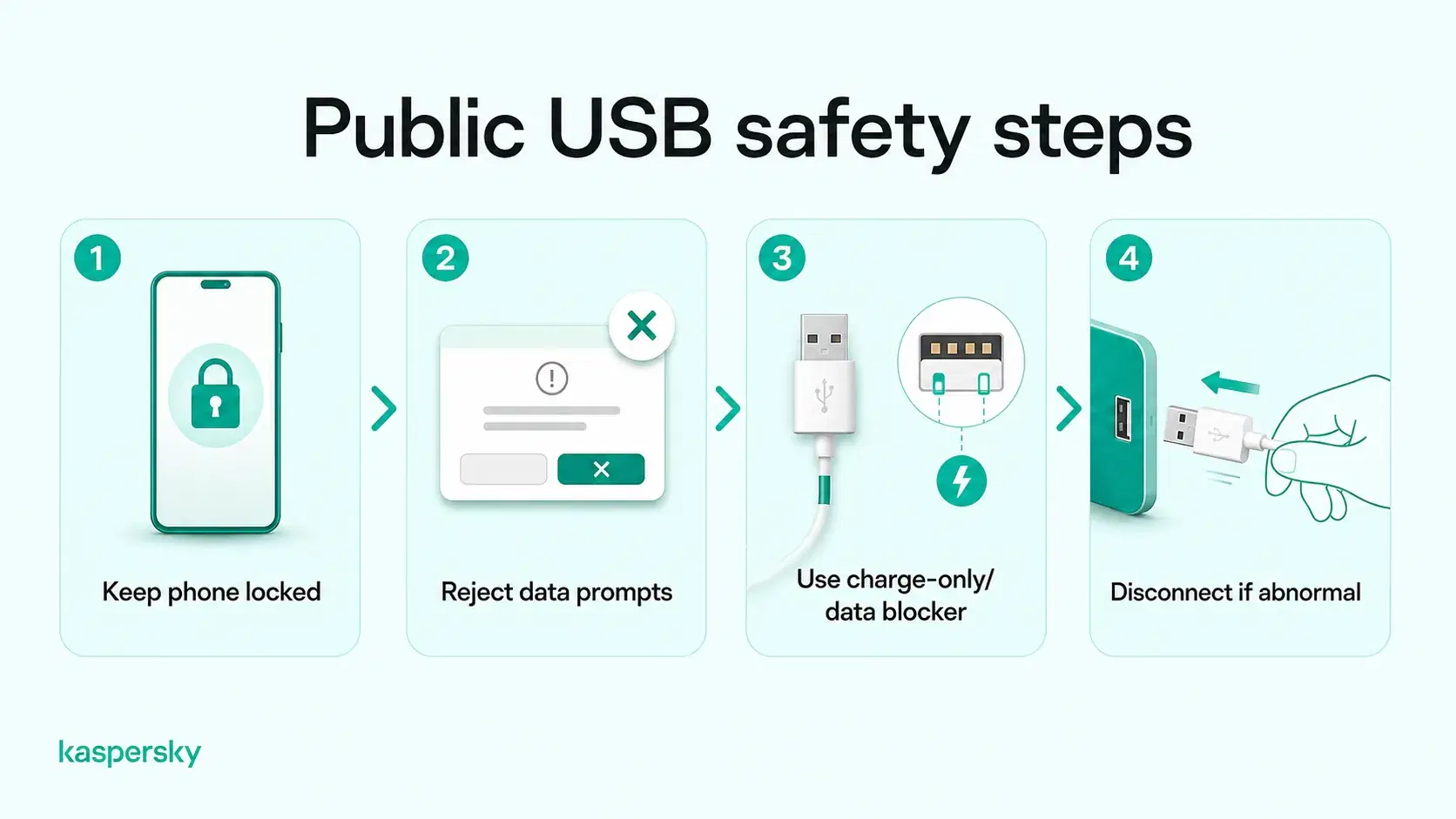
If you do need to use a public USB connection:
- Keep the phone locked while charging.
- Reject unexpected Trust, Share Data, File Transfer, or similar requests.
- Keep the operating system up to date.
- Avoid using unknown or unattended charging cables.
- Disconnect immediately if the device behaves unexpectedly or requests access you were not expecting.
What should you do if you suspect juice jacking?
Using a public USB charger does not automatically mean your phone has been compromised. If something seems suspicious, take the following steps.
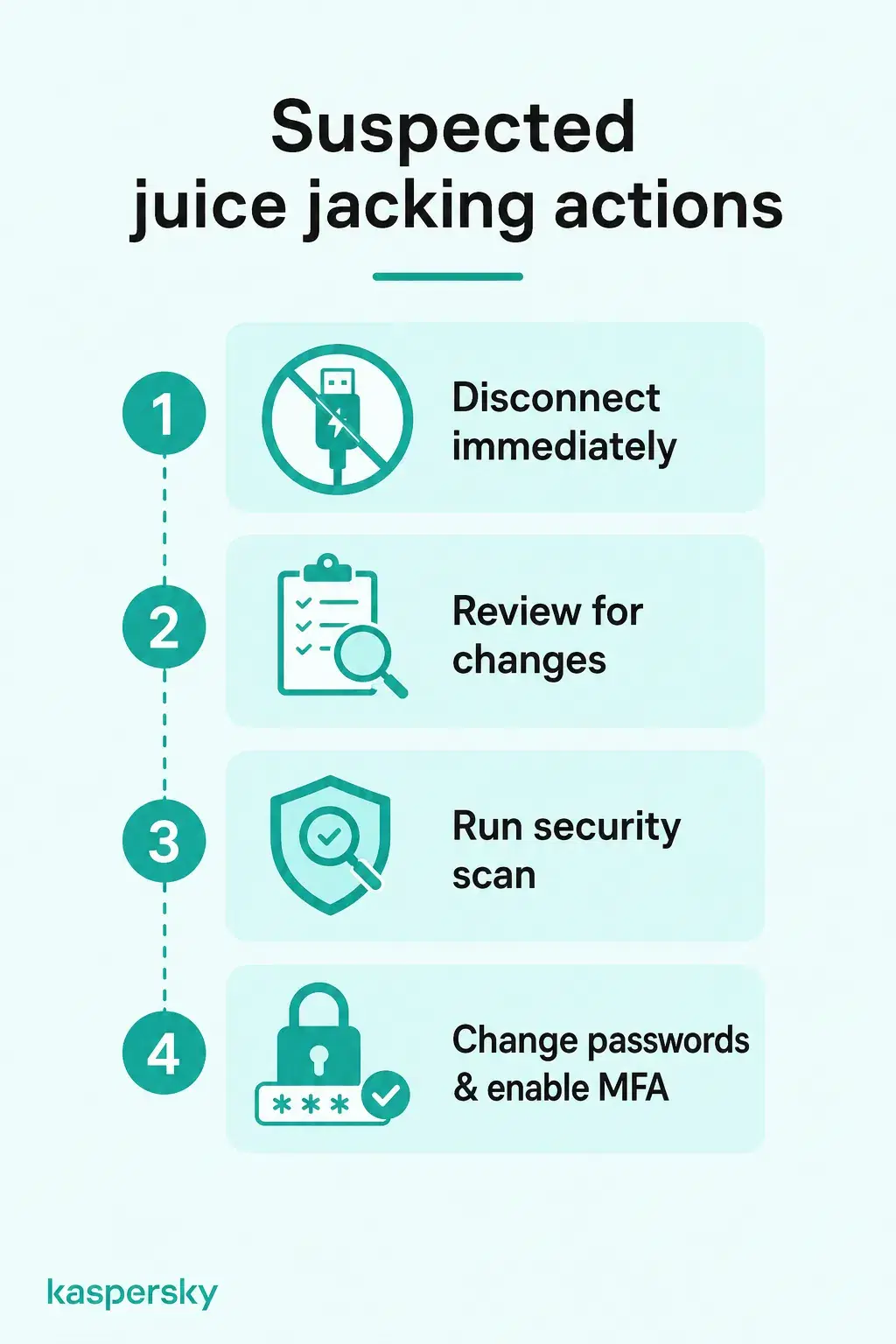
You should:
- Disconnect from the suspicious port or cable.
- Review the device for unexpected changes or security alerts.
- Run a security scan using trusted security software.
- If account compromise is suspected, change important passwords from a trusted device and enable multi-factor authentication where available.
- Monitor banking, email, and other important accounts for unusual activity.
A factory reset or professional technical assistance is usually only necessary when there are stronger signs that the device itself has been compromised.
Related Articles:
- What is cyber security and why is it important today?
- How can data theft occur through public charging stations?
- Public wi-fi risks
- What is social engineering and how does it impact cybersecurity?
Related Products:
FAQ
What is a USB data blocker?
A USB data blocker is a small adapter that allows power to pass through a USB connection while blocking the data pins. It can help reduce the risk of unwanted data transfer when using public USB charging ports.
Where can juice jacking happen?
Juice jacking could potentially occur anywhere an unfamiliar USB charging port or cable is used, including airports, hotels, cafés, transport hubs, or public charging stations.
Can juice jacking happen through a charging cable?
Yes. A malicious or modified USB cable can potentially establish a data connection as well as provide power, which is why unknown or unsolicited cables should be treated cautiously.
Is it safe to charge your phone from a public electrical outlet?
Generally, yes. Using your own wall adapter with a standard AC outlet avoids the USB data connection that creates the juice jacking risk.