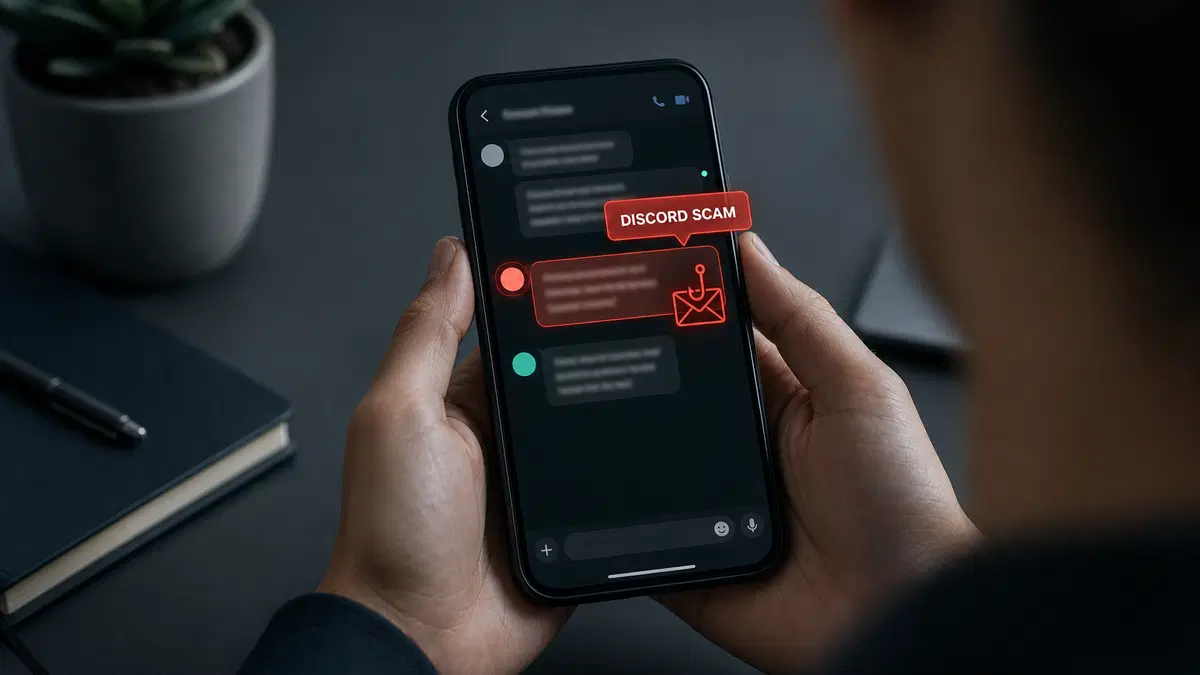
In just one year, Discord took action on more than 3 million accounts for fraud, phishing, and other scams. Many scammers start with a “friend” asking you to test a new game, a stranger claiming they reported your account by mistake, or an offer of free Nitro.
Scammers often create a sense of urgency to pressure you into clicking malicious links, sharing login details, downloading suspicious files, or sending money before you have time to question their intentions.
What are Discord scams?
Discord scams are schemes that use fake messages or links to get your login details or money. Instead of hacking Discord, attackers usually trick you into giving them access, for example through a fake login page.
Attackers often pose as Discord staff or a friend and use a threatened ban or a free reward to rush you, a tactic known as social engineering. In a typical Discord phishing scam, they then send a link to a fake login page that copies Discord’s design.
You might hear from them in a direct message or a public server post, or through a bot that looks like a moderation or verification tool. They often write from compromised accounts, because you’re more likely to trust a link from someone on your friend list.
Some scams use Discord to go after other accounts, such as your Steam or Microsoft login.
- Most Discord scams rely on social engineering to trick you into handing over your login or money.
- Messages from friends can still be scams, because attackers often send them from compromised accounts.
- Discord’s QR code scanner is for logging in, so don’t scan one someone sends to claim a reward.
- Simply opening a phishing link does not usually compromise your account, but entering credentials, approving a malicious login, or running infected files can.
- Download games only from official app stores, never from links sent in a chat.
- Turn on two-factor authentication and restrict direct messages from strangers to reduce the chance of a successful scam.
Why did Brazil restrict Discord in 2026?
Brazil restricted several Discord features in August 2026 following serious concerns about child safety. The decision came after a widely reported case involving the death of a 13-year-old girl and growing public pressure for stronger protections on the platform.
Brazil's data protection authority (ANPD) ordered Discord to suspend livestreaming and video communication features. The controversy also attracted political attention, with First Lady Janja Lula da Silva publicly calling for a complete ban.
However, Discord was not banned outright. Text messaging and voice communication remained available, while the restrictions affected features such as Go Live, video calls, and screen sharing.
These measures addressed child safety concerns rather than the phishing, account theft, and financial scams discussed in this article.
What are the most common Discord scams?
The most common Discord scams involve fake support messages, fraudulent Nitro giveaways, deceptive gaming invitations, and malicious downloads. Although these schemes use different stories to attract victims, many rely on similar tactics, including impersonation, phishing, and social engineering.
Fake Discord support and report scams
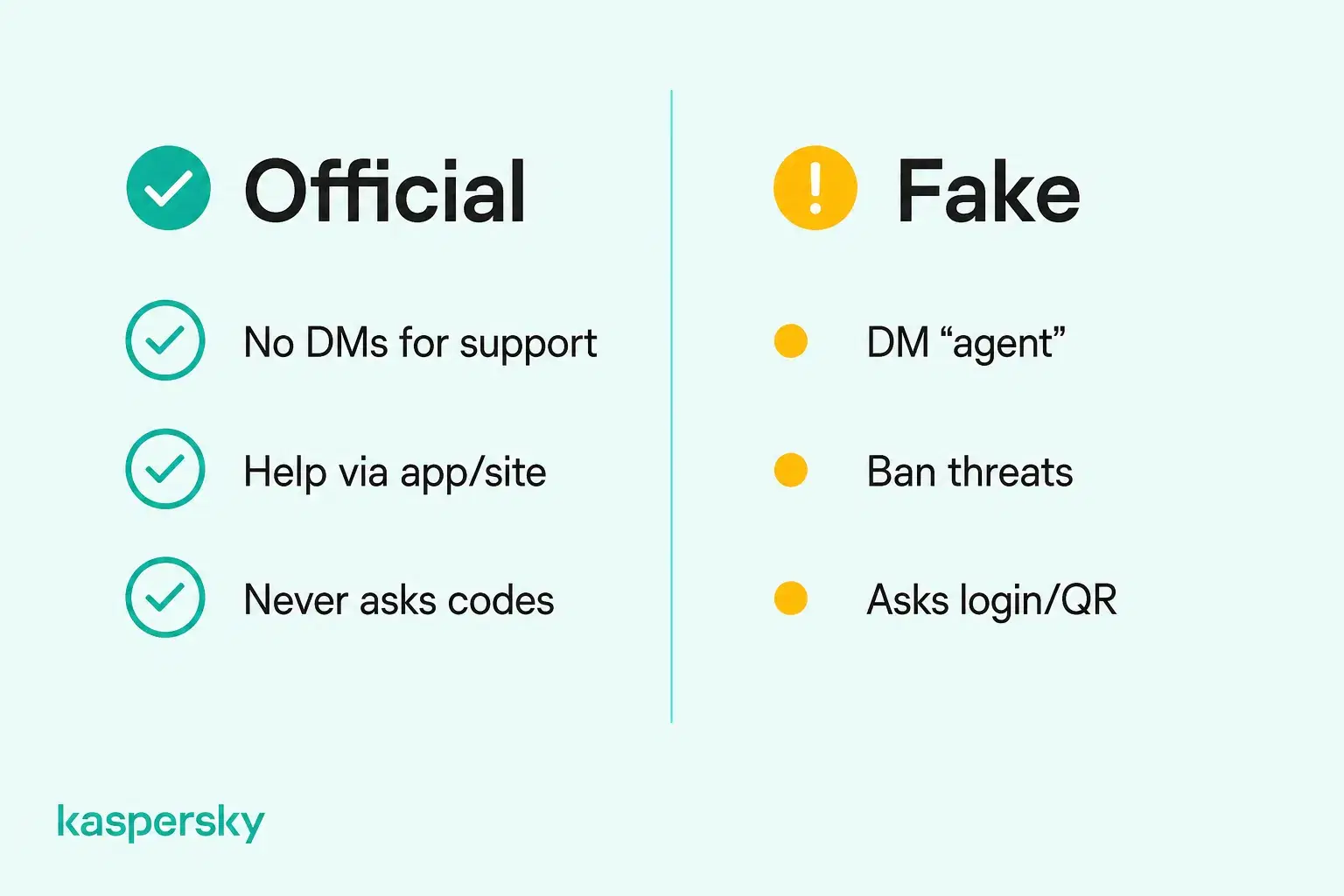
In the “I accidentally reported you” scam, someone messages you to say they reported your account by mistake and that Discord will ban it unless you contact a support agent. The sender may be a stranger or a friend whose account was hacked, and the “agent” they point you to is part of the scam.
The fake agent asks you to “verify” your account by sharing a login code, scanning a QR code, changing your email to an address they supply, or paying to lift the ban. Any of these steps can give them control of your account. Discord doesn’t handle reports through private support accounts, so block the sender and contact Discord only through its official website or app.
Infinity Kingdom Discord scam and fake gaming invitations
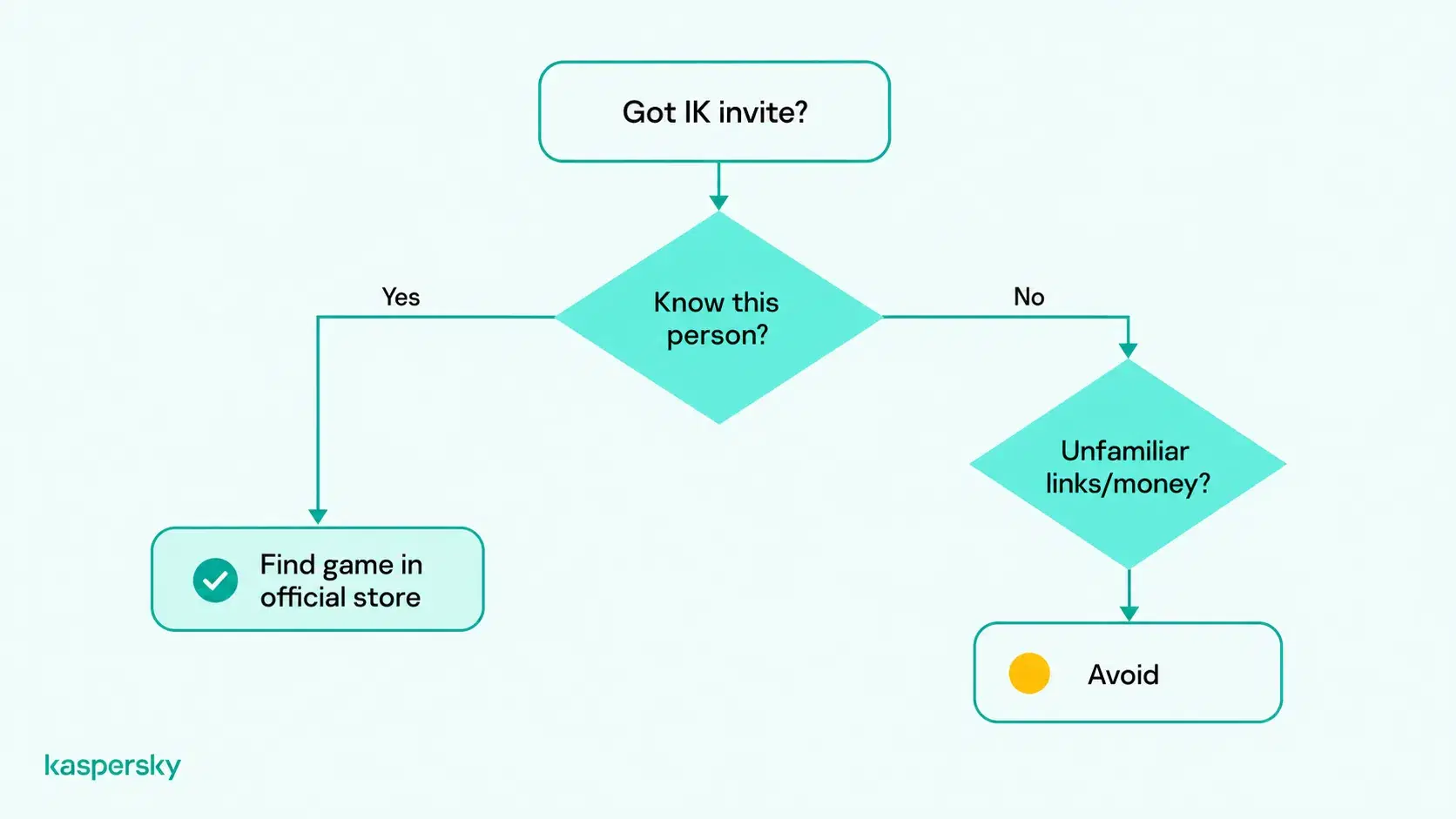
In the Infinity Kingdom Discord scam, strangers use fake profiles and unsolicited friend requests to build trust before encouraging you to download the mobile strategy game Infinity Kingdom. They may pretend to have contacted you accidentally, start a friendly conversation, and eventually invite you to join their alliance.
The motivation behind these approaches is not always clear. Some may involve aggressive recruitment or attempts to gain referral rewards, while others could lead users toward suspicious websites, unofficial downloads, or financial requests. However, these risks should not be assumed to apply to every invitation.
Infinity Kingdom itself is a legitimate game available through official app stores. Receiving an invitation to play does not automatically mean you are being scammed. The warning signs are deceptive identities, persistent pressure, unfamiliar download links, and requests for money or sensitive information.
If someone approaches you this way, avoid downloading files from their links or sharing account credentials. If you want to try the game, find it independently through an official app store.
Fake Nitro giveaways and promotional scams
You may get a fake offer of free Nitro by direct message or email, saying you’ve won a giveaway or a gaming reward. The sender may use the name of a game platform or an influencer, for example by claiming Steam is giving away three months of Nitro.
If you click the link and sign in on the fake page, the sender gets your email address and password. They may also ask for your two-factor authentication code, which lets them sign in before it expires.
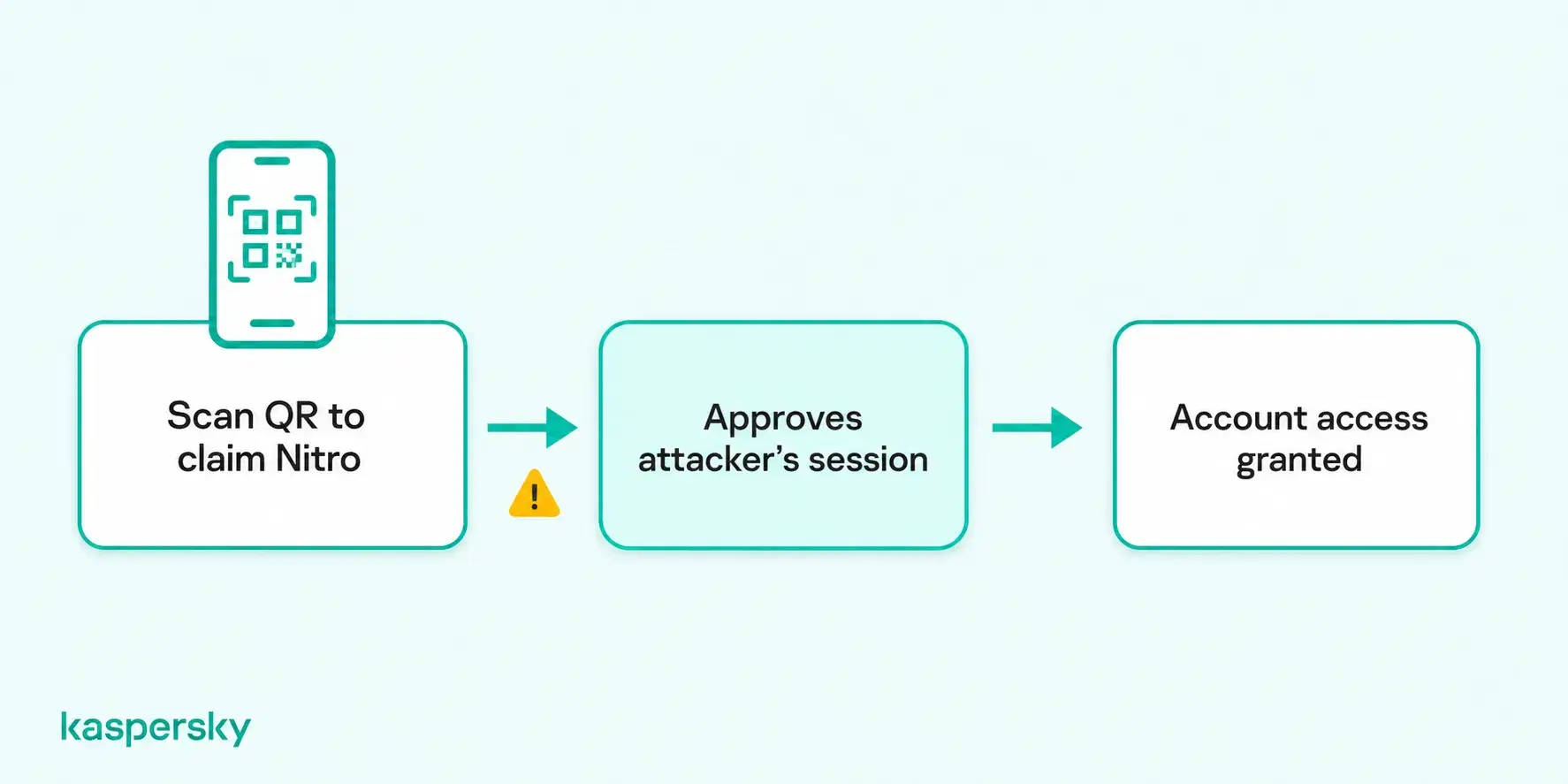
Another variation involves a QR code that supposedly unlocks a free Nitro reward. Scammers may trick you into using Discord's QR-code login feature to authorize a login session they control. If you approve the login, they may gain access to your account without knowing your password or two-factor authentication code. As explained in Discord's account security guide, the QR-code scanner is intended for logging in, not claiming rewards. This technique is a form of quishing, or QR-code phishing.
Fake server verification scams
Scammers copy the check many servers use to confirm new members aren’t bots, often with a channel named #verify. In its analysis of hijacked invite links, Kaspersky describes attackers who take over expired Discord invites and send users to a server where the only open channel is a fake verification step.
In that campaign, the attackers used a trick called ClickFix, telling users on the fake verification page to paste and run a command on their computer. Anyone who ran it installed malware that gave the attackers remote control of the device or access to crypto wallet data. In other cases, you’re sent to an outside page and asked to sign in with Discord, Steam, or Microsoft, or to authorize an app, which can give the sender access to those accounts.
Malicious game downloads and attachments
In this scam, a friend or new contact asks you to test a game they made or try a mod, and sends a download link or a file in the chat. Kaspersky’s overview of malicious activity in Discord chats describes malicious files hosted on Discord’s own servers, which can make a download link look more trustworthy.
The file may contain an infostealer, a type of malware that copies the saved passwords and session tokens on your device and sends them to the attacker. With a stolen session token, the attacker can use your Discord account without your password or two-factor code, and they may also get into your email and bank accounts.
Cryptocurrency and financial scams
On Discord, crypto scammers run fake giveaways, investment groups that promise high returns, and trading platforms that block withdrawals until you pay a fee. They often pose as a server admin or a well-known crypto project to make a payment request look trustworthy.
You may not get back the money you send, because cryptocurrency transfers are difficult to reverse. You may also be asked for card details or your crypto wallet’s recovery phrase, which can then be used for further fraud or identity theft.
How can you recognize a Discord scam?
You can usually recognize a Discord scam because the sender rushes you with a ban threat or a prize, and asks you to click a link or send money. It may also come from a friend’s hacked account.
Discord’s own announcements appear as official system messages. A username with “Support” or “Admin” in it doesn’t mean the account belongs to Discord, because anyone can choose a name like that. If a friend writes in an unusual style, or a moderator or bot contacts you privately about your account, check with them another way before you reply. Offers that look too generous, such as a free year of Nitro, are another common sign.
Before you open a link, check where it goes, because lookalike addresses such as dlscord.com or diiscord.com are common. You can avoid most fake login pages by typing discord.com yourself instead of signing in through a link.
You can compare a message you’ve received with these common examples:
|
Typical message |
Warning signs |
Likely goal |
|
“I accidentally reported you, contact this support agent.” |
A ban threat and a “staff member” who contacts you in direct messages |
Account takeover |
|
“You’ve won free Nitro, scan this QR code to claim it.” |
A reward from a stranger and a request to use Discord’s QR code scanner |
Account takeover |
|
“Can you test my new game?” |
A download link or attachment and pressure to run it right away |
Malware and stolen logins |
|
“Verify to access this server.” |
A request to sign in or run a command on your computer |
Account or device compromise |
|
“Join my alliance in Infinity Kingdom.” |
Repeated invitations from a new contact and unofficial download links |
Player recruitment, referral rewards, or potentially fraudulent requests |
|
“Double your crypto in our investment group.” |
Guaranteed returns and fees to unlock withdrawals |
Money or wallet access |
What should you do if you fall for a Discord scam?
If you fall for a Discord scam, what you should do next depends on what you gave the scammer, such as your password or money. Unexpected password or email changes mean your account may already be compromised.
If you clicked a suspicious link or shared information
If you clicked a suspicious Discord link, close the page and avoid further interaction. Simply visiting a phishing website does not usually expose your login credentials, but entering a password, approving a login, or downloading a malicious file can put your account or device at risk.
If you entered your Discord password or authorized an unfamiliar login, change your password immediately, enable two-factor authentication, and review your account for unauthorized activity. Change passwords on other accounts if you reused the same credentials.
If your Discord account was hacked
If the attacker changed the email address on your account, check the inbox of your old email address. Discord sends a message there when the address changes, and it may include a link to undo the change.
When you can’t sign in at all, use Discord’s official support form to report your account as hacked, and send the request from the email address linked to it. If they also took over that email, recover it through your email provider first.
Once you’re back in, remove devices and authorized apps you don’t recognize, and warn your friends about the Discord hack, because the attacker may have used your account to send them the same scam.
If you downloaded malware or lost money
If you think a file was malicious, disconnect the device from the internet and run a full scan with security software. Then change your email and bank passwords from a different device, because the malware may have copied the ones saved on the infected one.
If you sent money or shared card details, contact your bank or payment provider as soon as possible, because they may be able to block the card or dispute the payment.
How to report a Discord scam
Right-click or long-press the message or the sender’s profile and select Report. Take screenshots of the username and messages first, because the sender may delete them, then block the account.
Discord’s Trust & Safety team uses reports to remove scam accounts and servers, but a report doesn’t guarantee you’ll get a stolen account or money back.
How can you protect yourself from Discord scams?
You can reduce your risk of Discord scams by securing your account, limiting unwanted contact, and treating unexpected requests with caution. These measures help protect against phishing, account theft, malicious downloads, and social engineering, although no single precaution can prevent every scam.
- Use a strong, unique password for Discord and the email account linked to it, and turn on two-factor authentication so a stolen password isn’t enough on its own.
- Restrict direct messages from server members you don’t know in Discord’s privacy settings, and turn on the filters for people who aren’t on your friend list.
- Ignore unexpected files and verification requests, and never approve a QR code login you didn’t initiate or share your password or two-factor codes with anyone who messages you.
- Install security software such as Kaspersky Premium, which can help detect malware and block known phishing websites before you enter your login details.
Independently tested and awarded by the industry's leading labs.


Related Articles:
- What to do after a phishing attack
- What to do if your identity is stolen
- Managing and preventing a personal data breach
- How to spot fake login pages and protect your credentials?
Related Products:
FAQs
Can someone steal your information through a Discord server?
Yes. Scammers can use a server to post phishing links or malicious files, and if you click an external link, the site’s owner can see your IP address. Other server members can’t see your email address or password.
Can a Discord bot compromise your server?
Yes. A malicious bot, or a trusted one whose token is stolen, can use its permissions to delete channels or post scam links. Add bots only from developers you trust, and avoid giving them Administrator access.
Why would scammers want access to your Discord account?
Scammers steal Discord accounts to impersonate trusted users, access private conversations, and potentially exploit server permissions. Accounts with administrative privileges can be particularly valuable because attackers may use them to manipulate communities, distribute malicious links, or target additional victims.
How can you identify an unauthorized Discord Nitro seller?
Discord says anyone selling Nitro outside its app or official Amazon store is unauthorized, and many offer big discounts in direct messages. Discord may revoke Nitro bought this way, and cheap codes may come from stolen cards.