What is mobile app security?
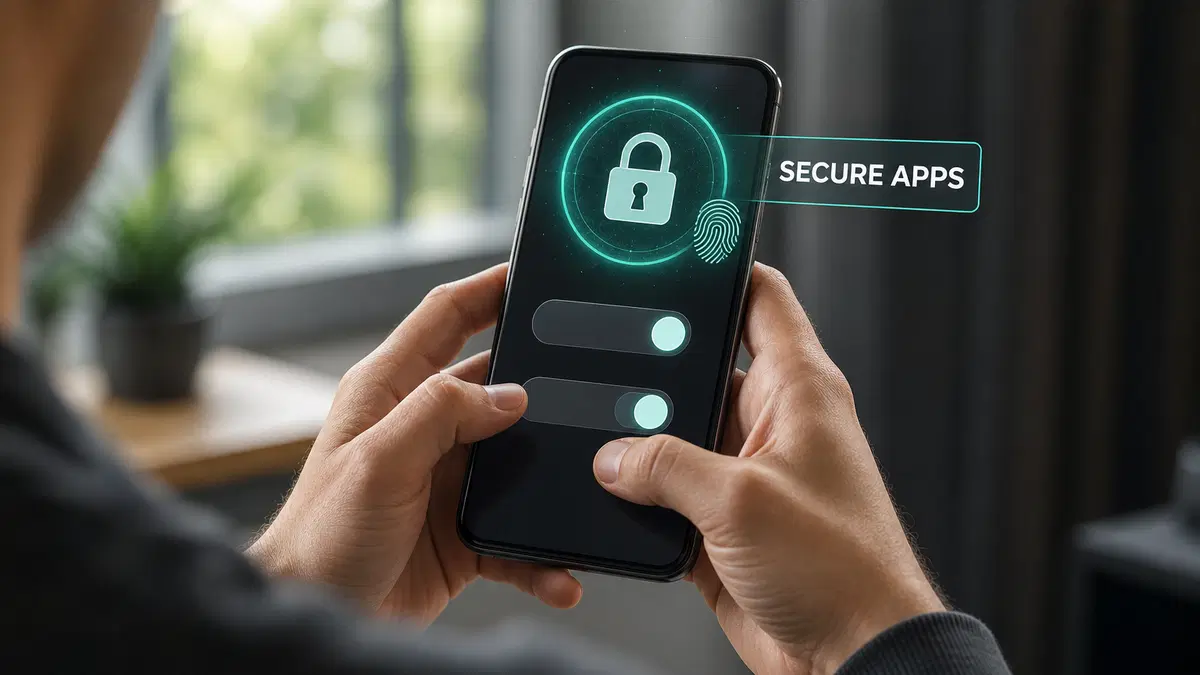
Mobile app security, or mobile application security, is the practice of protecting mobile apps, the data they handle, and the services they connect to from unauthorized access, misuse, and cyberattacks.
It is important because mobile apps are often used for sensitive activities such as banking, shopping, messaging, and accessing business systems. A security weakness in an app can expose personal information, login credentials, payment data, or company records.
Mobile app security is different from mobile device security, which focuses on protecting the phone or tablet itself. It is also different from app privacy, which concerns how personal information is collected and shared.
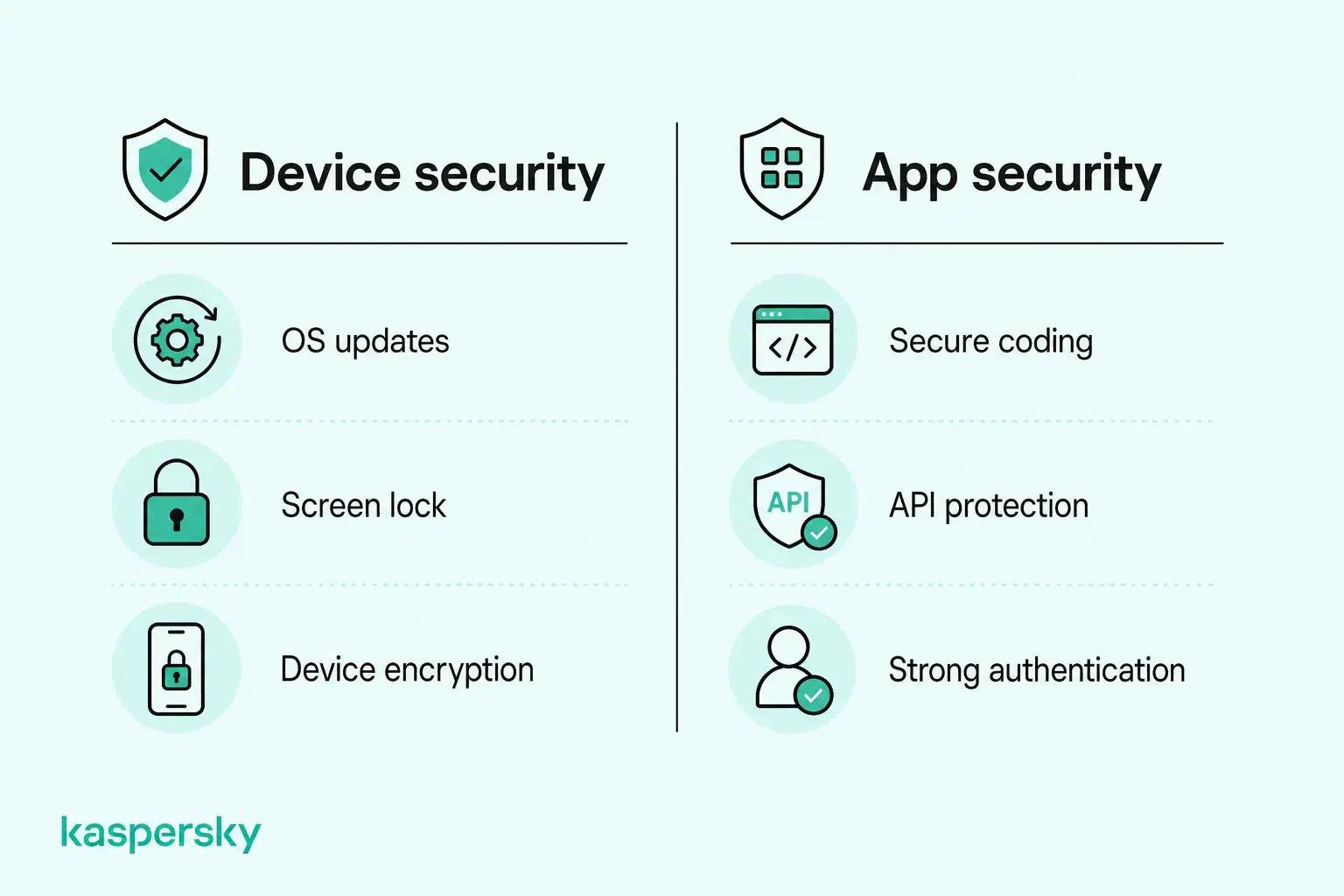
Responsibility is also shared. Developers need to build and test apps securely and organizations need to manage access and protect connected systems. Users need to keep apps updated and their accounts and data protected.
- Mobile app security protects apps, user data, and the services those apps connect to.
- Common risks include insecure data storage, weak authentication, vulnerable APIs, malicious apps, and outdated components.
- Developers are responsible for secure design, coding, testing, and maintenance.
- Users can reduce risk by installing trusted apps, reviewing permissions, keeping software updated, and protecting accounts.
- Businesses should control access to company apps and data, especially on employee and BYOD devices.
- Mobile app security is related to device security and privacy, but they are not the same thing.
What are the most common mobile app security threats and vulnerabilities?
A vulnerability is a weakness in an app or its supporting systems. Attack methods are the way that weaknesses are exploited. The consequences can vary from loss of data to nearly immediate financial losses.
Common risks affect both Android and iOS apps and overlap with issues highlighted in the OWASP Mobile Top 10, including insecure data handling, weak authentication, vulnerable communications, and insecure software components. These weaknesses have the potential to affect everything from banking and shopping apps to messaging platforms and business software.
Insecure data storage and communication
Sensitive information can be exposed if an app stores it insecurely on the device, sends it over poorly protected connections, or relies on vulnerable APIs.
This can put personal information, login credentials, payment details, and business data at risk. An insecure financial app could potentially expose transaction details, or a vulnerable business app might leak customer records or confidential documents.
Weak authentication and access controls
Poor authentication, insecure session handling, and weak authorization can allow attackers to access accounts or information they should not be able to reach.
Possible outcomes include account takeover, privilege escalation, or access to another user's data. In a shopping app, this might expose saved payment information; in a business app, it could allow an unauthorized user to view internal records or administrative functions.
Malware, app tampering, and reverse engineering
Mobile threats also include malicious apps, spyware, banking Trojans, and fake versions of legitimate applications. These may be designed to steal credentials, monitor activity, or redirect payments.
Reverse engineering involves analyzing an application's code or behavior to understand how it works. Although it can support legitimate security research, attackers may use it to identify weaknesses or bypass protections. Application tampering involves unauthorized modifications that can alter functionality, compromise security controls, or facilitate fraud. Unlike malicious apps, legitimate applications may also contain vulnerabilities that attackers can exploit.
Outdated software and vulnerable components
Apps often depend on third-party SDKs, libraries, and other software components. If these are outdated or insecure, they can introduce weaknesses even when the app's own code is well designed.
Unpatched apps and unsupported components are particularly risky because known vulnerabilities may remain exploitable. Software supply chain issues can also affect many apps at once when they depend on the same vulnerable third-party component.
What should a mobile app security checklist include?
A mobile app security checklist should cover five core areas: architecture and permissions, authentication and authorization, data storage and privacy, network communication and APIs, and application integrity and testing.
These safeguards should be considered throughout development and maintenance of an app. Developers and organizations operating mobile services are primarily responsible for implementing them, using frameworks such as the OWASP Mobile Application Security Verification Standard (MASVS) alongside Android and iOS security guidance.
Secure architecture and permissions
Apps should follow the principle of least privilege. Give users components, and services only the access they need.
Developers should avoid hardcoded passwords, API keys, and other secrets, and minimize unnecessary exposure of sensitive information. Third-party SDKs and dependencies should be assessed for vulnerabilities throughout their lifecycle and application architecture should limit the impact if one component is compromised.
Authentication and authorization
Authentication should verify users securely, while authorization should control what each user can access. Important access decisions should be enforced on the server rather than relying only on the mobile app.
Apps should support appropriate MFA and secure account recovery. Authentication tokens should be protected through secure storage and careful session management so users cannot access information or functions outside their permissions.
Secure data storage and privacy
Mobile app encryption helps protect sensitive information stored on devices and backend systems. Combined with appropriate access controls and secure key management, encryption reduces the risk of unauthorized data exposure.
Android Keystore can securely store cryptographic keys on Android devices. iOS Keychain provides protected storage for credentials and other small pieces of sensitive data. Neither should be treated as a reason to store more information than necessary.
Apps should also minimize unnecessary collection and retention and prevent sensitive data from appearing in logs, backups, notifications, or exposed interfaces.
Secure network communication and APIs
Communication between the app and its servers should use HTTPS with appropriately configured TLS.
APIs should require secure authentication and authorization and validate requests on the server. Additional protections against interception or manipulation may be appropriate for higher-risk applications, but sensitive data should never be sent through insecure channels.
Application integrity and security testing
Application integrity controls help detect or discourage unauthorized modifications, while mobile app security testing identifies vulnerabilities before attackers can exploit them. Together, these measures help developers reduce security risks throughout an application's lifecycle.
Code obfuscation, integrity checks, and runtime protections can make reverse engineering and tampering more difficult. However, these measures cannot guarantee that an application is immune to attacks.
Security testing should also be built into development rather than left until release. This can include:
- SAST: examining source code or binaries for security weaknesses.
- DAST: testing the running application for exploitable behavior.
- Vulnerability assessments: identifying and prioritizing known weaknesses.
- Penetration testing: simulating realistic attacks to test how vulnerabilities could be exploited.
Testing should be repeated after significant application changes and as new threats or vulnerabilities emerge.
|
Security area |
Key verification questions |
|
Architecture and permissions |
Does the app follow least privilege? Are third-party dependencies assessed for vulnerabilities? |
|
Authentication and authorization |
Are users verified securely? Are access controls enforced on the server? |
|
Data storage and privacy |
Is sensitive information protected in storage? Is unnecessary data collection avoided? |
|
Network communication |
Are app-server connections encrypted? Are APIs appropriately secured? |
|
Application integrity and testing |
Is the app protected against relevant tampering risks? Is security testing performed regularly? |
How can you improve mobile app security?
Mobile app security depends on both how applications are built and how they are used. Developers are responsible for secure design, coding, testing, and backend protection, while individuals and businesses can reduce risk through safer app choices, account security, permissions, and device management.
Security software can add another layer of protection against certain threats, such as malware, phishing, and malicious links, but it cannot repair insecure app code or vulnerabilities in a provider's backend systems.
Mobile app security best practices for individuals
- Download apps from trusted sources: Prefer reputable app stores, check the developer, and be cautious with unfamiliar APK files or installation links.
- Review permissions: Limit unnecessary access to location, contacts, camera, microphone, and other sensitive information.
- Keep apps updated: Install application and operating-system updates promptly and remove apps that are unused or no longer supported.
- Protect accounts: Use unique passwords, a password manager, and MFA where available.
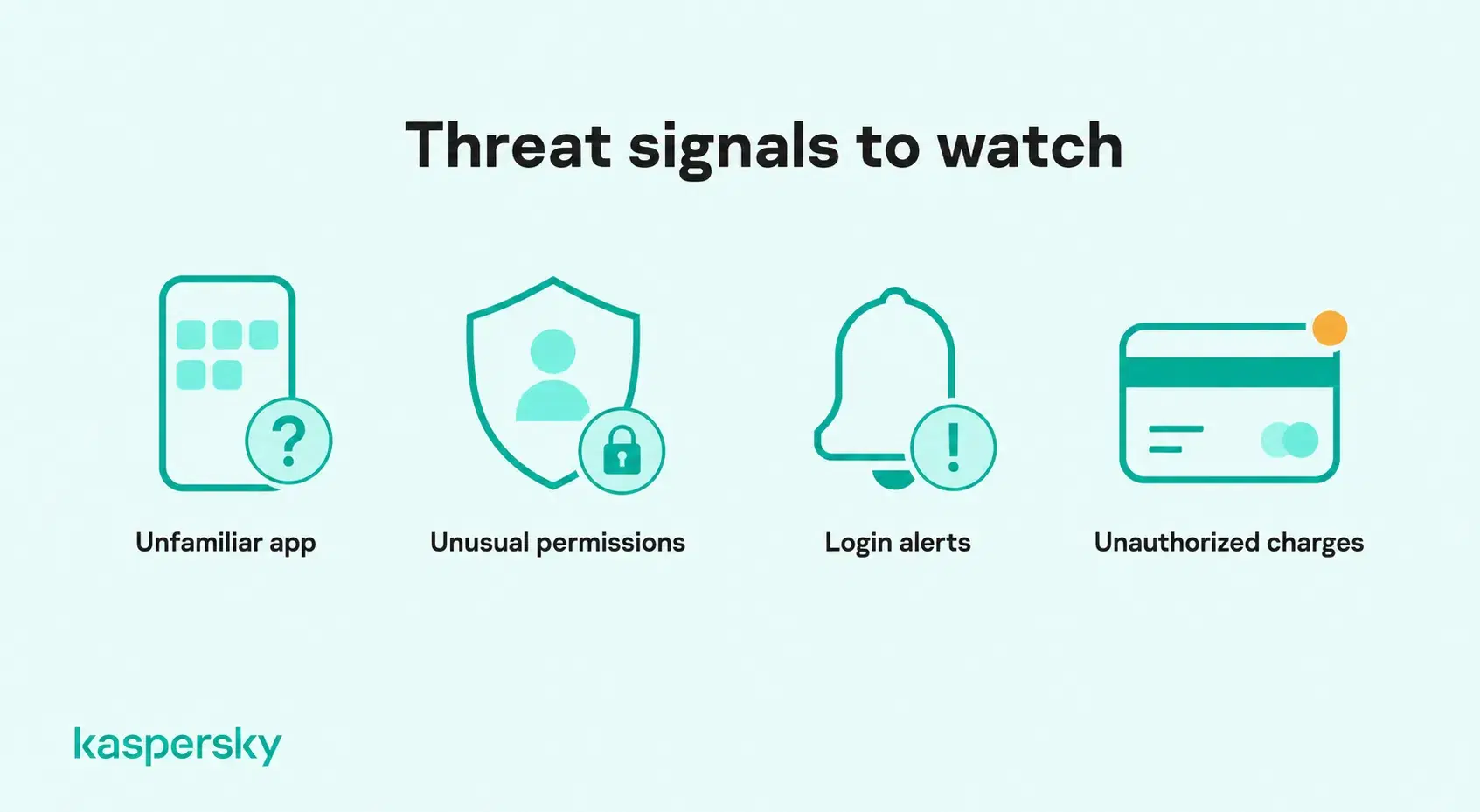
- Watch for suspicious behavior: Investigate unfamiliar apps, unexpected permission requests, unusual login alerts, or unauthorized account activity.
- Use appropriate security software: Choose reputable mobile protection that can help detect malicious apps, phishing attempts, and unsafe links, depending on the device and supported features.
Independently tested and awarded by the industry's leading labs.



Mobile app security best practices for small businesses
Small businesses should combine employee guidance with controls over which mobile apps can access company information.
- Control app usage: Define which applications are approved for accessing business systems and data.
- Secure business accounts: Require appropriate MFA and limit employee permissions according to their responsibilities.
- Manage mobile risks: Set minimum security requirements for both company-owned and BYOD devices accessing business applications.
- Protect company information: Limit unnecessary access to customer records, confidential documents, and connected cloud services.
- Train employees: Help staff recognize malicious apps, fraudulent installation links, and suspicious login requests.
- Use appropriate security measures: Combine endpoint protection, account security, access controls, and employee awareness rather than relying on a single safeguard.
Kaspersky Small Office Security can support broader small-business cybersecurity by protecting supported business devices and accounts. Award-winning security and no IT team required.
What should you do if a mobile app has been compromised?
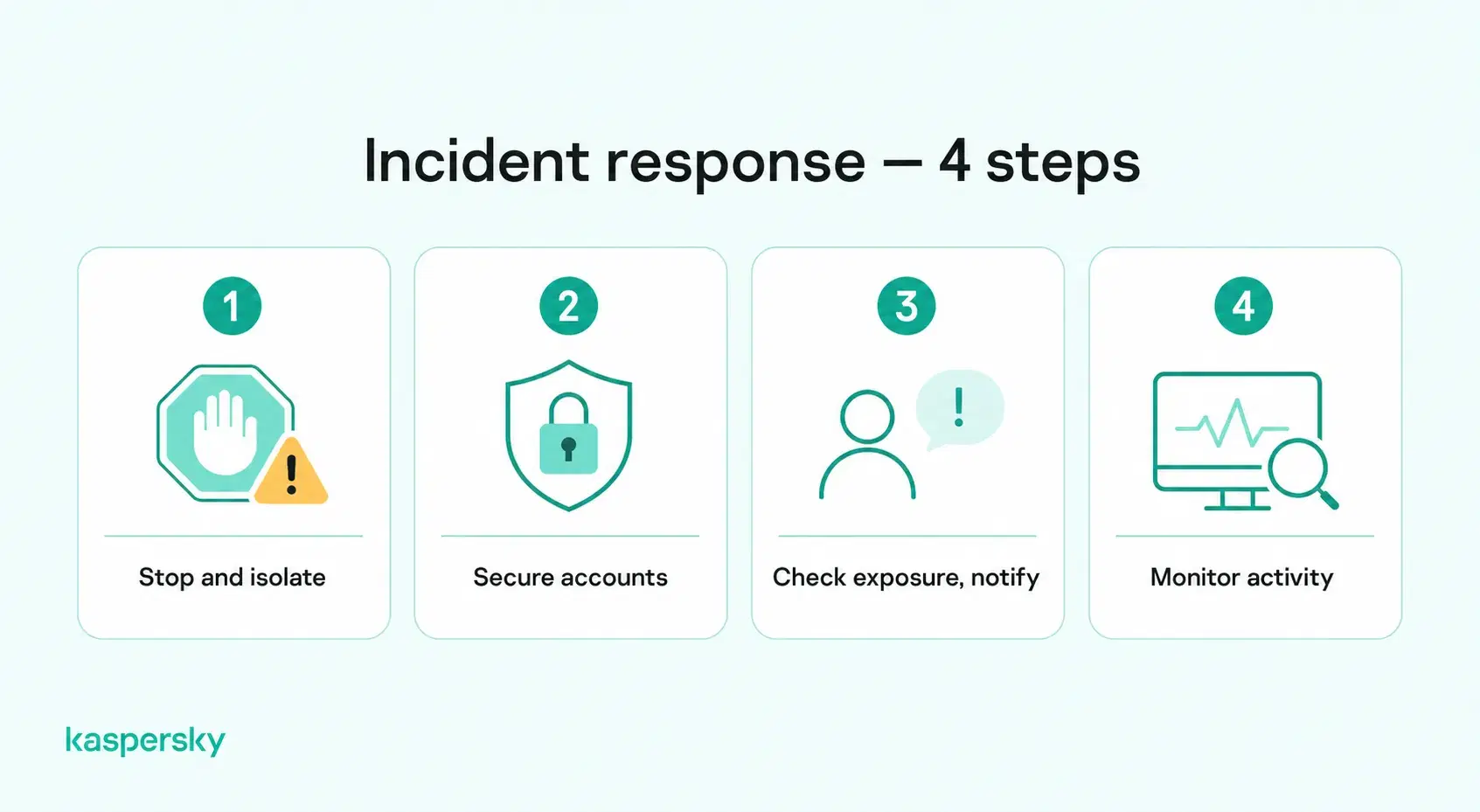
If you suspect a mobile app has been compromised, stop using it, secure affected accounts, and investigate whether sensitive information was exposed. Acting quickly can help limit unauthorized access, financial losses, and further damage.
- Identify suspicious activity: Look for unfamiliar apps, unexpected permission requests, security alerts, unauthorized transactions, or unusual account activity.
- Contain the threat: Stop using the affected app. If malware is suspected, disconnect the device from the internet when appropriate and remove or isolate the malicious application.
- Secure your accounts: Use a trusted device to change potentially compromised passwords, revoke active sessions, and enable multifactor authentication.
- Check for exposed information: Determine whether personal details, payment information, login credentials, or business records may have been accessed.
- Notify relevant parties: Contact your bank if financial information is at risk. For business applications, report the incident to your IT administrator or security team.
- Monitor for further threats: Watch for suspicious logins, unauthorized transactions, and other signs of continued compromise.
Related Articles:
- How to avoid data theft?
- What are the best tips for mobile security smartphone users?
- What are essential Android security tips for protecting my device?
- What are the key differences in Android vs iPhone mobile security?
Related Products:
FAQs
How can you tell if a mobile app is secure?
There is no single sign that proves an app is secure. Useful indicators include a reputable developer, regular updates, reasonable permission requests, secure login options, and distribution through trusted channels. For higher-risk apps, developers should also follow recognized standards such as OWASP MASVS.
What is mobile application threat monitoring?
Mobile application threat monitoring involves observing signals from an app or device to detect suspicious activity such as tampering, invalid code signing, unusual API requests, bot activity, or other signs of attack. It can help developers understand how apps are being targeted after release.
What is the difference between mobile app security testing and penetration testing?
Mobile app security testing is the broader process of checking an application for vulnerabilities using methods such as static analysis, dynamic testing, configuration reviews, and dependency checks. Penetration testing is more focused on simulating realistic attacks to determine whether identified weaknesses can actually be exploited.
What is mobile app attestation?
Mobile app attestation uses platform-provided evidence to help servers assess an application's identity and integrity. Depending on the mechanism, it can help detect unauthorized modifications or suspicious environments, but it cannot guarantee that an app or device is completely secure.