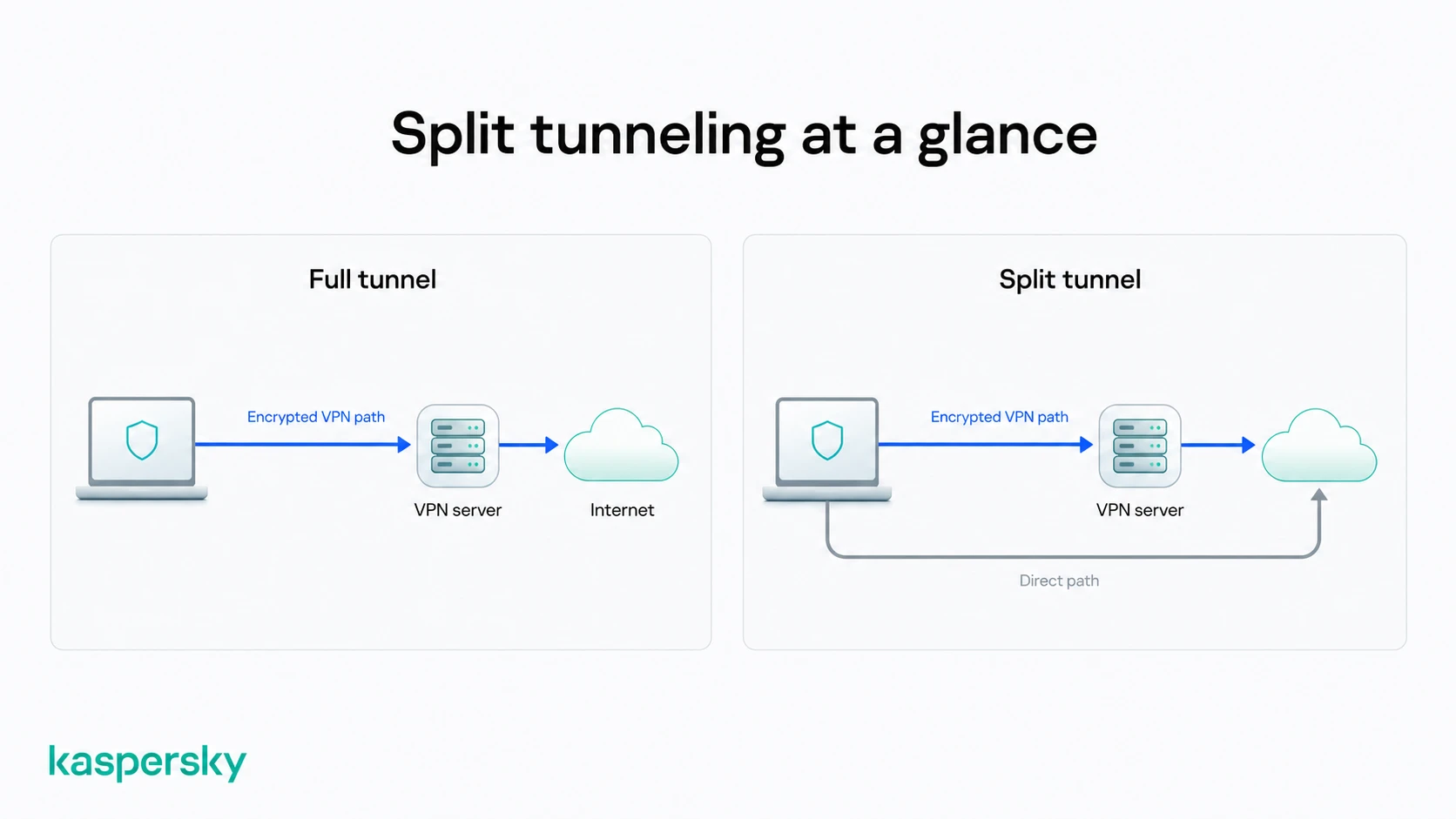
A VPN often routes all of your internet traffic through an encrypted connection. Split tunneling is an option that lets you choose which apps or websites use the VPN and which connect directly to the internet. It means more control over privacy and performance.
- VPN split tunneling lets selected apps or websites use the VPN while others use your regular internet connection.
- It can improve flexibility by allowing trusted apps to bypass the VPN when privacy isn't needed.
- Common uses include streaming local content, gaming, accessing smart home devices, and using work apps securely.
- Traffic that bypasses the VPN is not protected by VPN encryption, so choose carefully which apps or websites are excluded.
- Not every VPN supports split tunneling, and available features can vary between providers and operating systems.
What is VPN split tunneling?
VPN split tunneling is a feature that lets you decide which apps and websites use your VPN and which connect directly to the internet. Not everything has to go through the encrypted VPN tunnel. Users can choose what needs extra privacy and what doesn't.
This solves a common problem for VPN users. Routing all traffic through a VPN improves privacy but can sometimes make it harder to access local devices or get the best performance from apps that don't need VPN protection.
Split tunneling gives you more flexibility by letting you control how different types of traffic are routed.
How does VPN split tunneling work?
A VPN routes all of your internet traffic through an encrypted tunnel. It does so to hide your IP address and protect your connection. With split tunneling, some traffic follows the secure VPN route while selected apps or websites connect directly through your regular internet connection.
Traffic sent through the VPN uses the VPN server's IP address to protect your privacy. Traffic that bypasses the VPN uses your regular IP address and isn't encrypted by the VPN.
Someone working from home might use the VPN for connecting to cloud data and company systems while allowing a video streaming app to use their normal internet connection. Sensitive work data stays protected this way.
Why should you use VPN split tunneling?
Split tunneling can be useful if you regularly switch between activities that need VPN protection and those that don't.
Instead of turning your VPN on and off throughout the day, split tunneling lets you keep protection where it matters most while allowing other traffic to connect normally .
Full tunneling is another option with a simpler setup. Sending all internet traffic through the VPN provides consistent protection without having to decide what should be included or excluded.
Split tunneling is most valuable in specific situations where flexibility is more important than routing every connection through the VPN.
Protect your device with Kaspersky VPN
Kaspersky VPN helps protect your online activity with an encrypted connection while giving you control over which apps use the VPN with split tunneling.
Try Kaspersky VPN for freeWhat are the benefits of VPN split tunneling?
The common benefits include:
- Improving performance for gaming, streaming, large downloads, and video calls by allowing selected apps to connect directly.
- Accessing local network devices, such as printers, NAS drives, or smart TVs, that may be difficult to reach through a VPN.
- Using apps or websites that don't work well with VPN IP addresses.
- Keeping sensitive activities protected by the VPN while allowing less sensitive traffic to bypass it.
VPN split tunneling vs. full tunneling: What's the difference?
Full tunneling means all of your internet traffic passes through the VPN. Split tunneling offers greater flexibility but means any traffic outside the VPN won't benefit from VPN encryption or IP masking.
The table below explores different use cases and the merits of each method:
|
Feature |
Full tunneling |
Split tunneling |
|
Internet traffic |
All traffic uses the VPN |
Only selected traffic uses the VPN |
|
Privacy |
Higher |
Depends on which traffic bypasses the VPN |
|
Performance |
May be slower |
Can improve performance for selected apps |
|
Best for |
Public Wi-Fi, banking, everyday privacy |
Streaming, gaming, local devices, compatibility |
Is VPN split tunneling safe?
VPN split tunneling is generally safe when used carefully. The feature itself doesn't weaken your VPN. However, any apps or websites that bypass the VPN won't receive the same privacy protection as traffic inside the encrypted tunnel.
Whether split tunneling is the right choice depends on how you use it. Sending trusted or low-risk traffic outside the VPN can improve convenience and performance. Sensitive activities are usually better kept inside the VPN.
What protection do you lose?
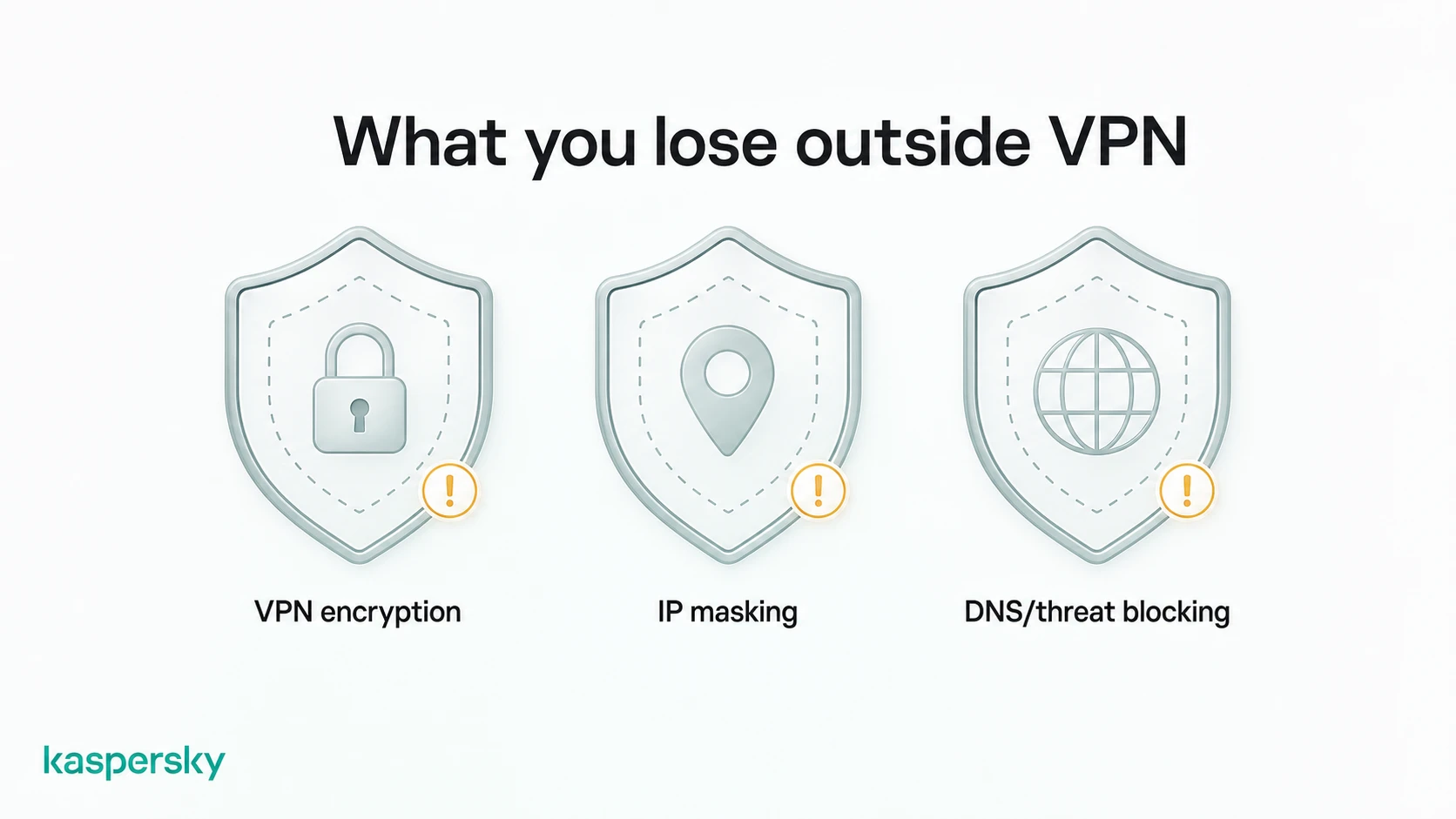
Any traffic that bypasses the VPN no longer benefits from the VPN's protection. This means you lose:
- VPN encryption for the apps or websites that connect directly to the internet.
- VPN IP masking, allowing those services to see your real IP address.
- Some VPN security features, such as DNS protection or threat-blocking tools, depending on your VPN provider.
That doesn't mean the connection is completely unprotected. Most reputable websites use HTTPS which encrypts data between your browser and the website. HTTPS doesn't hide your IP address or provide the broader privacy benefits of using a VPN.
Does split tunneling expose your real IP address?
It is possible. But only for the traffic you choose to send outside the VPN.
Apps and websites that bypass the VPN see your regular IP address because they connect directly through your internet service provider. Traffic that continues through the VPN uses the VPN server's IP address instead.
This means your privacy depends on which apps or websites you exclude from the VPN. Split tunneling doesn't expose all of your online activity—it only affects the traffic you've chosen to bypass the encrypted connection.
How do you choose which traffic should use the VPN?
The best way to use split tunneling is to think about what each app does and whether it needs the extra privacy or security of a VPN. Activities involving personal information or sensitive accounts are usually better kept inside the VPN. Some trusted apps that benefit from a direct connection may be suitable candidates to bypass it.
There's no single setup that's right for everyone. The best choice depends on how you use your devices and which apps are most important to you. As a general rule, keep apps that handle sensitive information inside the VPN and only bypass it when there's a clear advantage.
Which apps should use the VPN?
Apps that handle sensitive information generally benefit most from VPN protection. These may include:
- Banking and financial apps.
- Work applications and remote access tools.
- Web browsers used for private browsing or online shopping.
- Apps that regularly connect to public Wi-Fi.
Excluding an app can make sense if it performs better without the VPN or needs direct access to your local network. Online games and smart home devices are examples.
Your needs may change over time. It is worth reviewing your split tunneling settings occasionally to make sure they're still appropriate.
What types of VPN split tunneling are available?
VPN providers offer split tunneling in different ways. The two most common modes are split-exclude and split-include.
With split-exclude, all internet traffic uses the VPN except for the apps or websites you choose to bypass it.
With split-include (sometimes called inverse split tunneling), only the apps or websites you select use the VPN, while everything else connects directly to the internet.
Some VPNs also let you choose traffic based on apps or IP addresses. The available options and terminology vary between providers. The goal is the same: giving you control over which traffic uses the VPN.
Should you enable VPN split tunneling?
Split tunneling is a useful feature if you regularly use apps or devices that don't work well with a VPN or don't need VPN protection all the time. It provides extra flexibility without requiring you to disable your VPN completely.
It isn't essential for every VPN user. If your priority is consistent privacy and you don't have a specific reason to exclude certain traffic, full tunneling is usually the simpler and more secure choice.
Keep the number of exceptions to a minimum and only bypass the VPN when there's a clear benefit.
Quick decision checklist
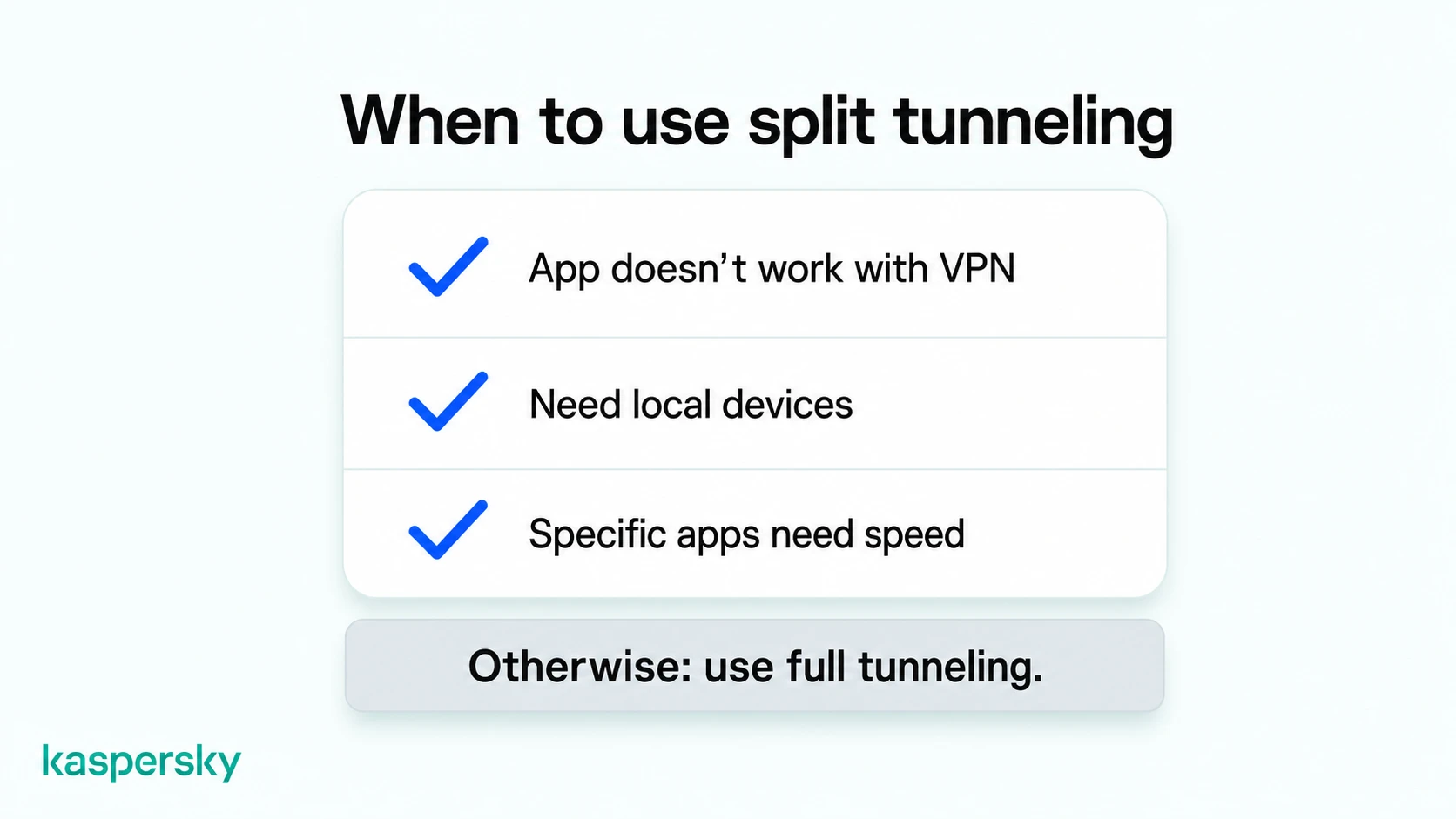
- Use split tunneling if a specific app, website, or local device doesn't work well with your VPN.
- Keep full tunneling enabled when using public Wi-Fi or whenever privacy is your top priority.
- Create as few exceptions as possible so more of your traffic remains protected.
- Review your settings regularly as your apps, devices, and browsing habits change.
Related Articles:
- Does VPN slow down your internet speed significantly?
- What are the key differences between VPN vs proxy server?
- What is a VPN and how does it enhance your online security?
- Learn more about Remote working how to stay safe
Related Products:
- Kaspersky Premium
- Download a free 30-day trial of our premium plan
- Kaspersky VPN with Split Tunneling feature
FAQs
Does every VPN support split tunneling?
No. Split tunneling isn't available with every VPN, and supported features can vary between providers and operating systems. Kaspersky’s VPN includes split tunneling on supported devices. Users can choose which apps use the VPN and which connect directly to the internet.
Can I use split tunneling on public Wi-Fi?
Yes, but it's usually better to keep full tunneling enabled on public Wi-Fi. Sending all of your traffic through the VPN provides more consistent protection on networks you don't control.
Does VPN split tunneling improve internet speed?
It can improve performance for certain apps by allowing them to bypass the VPN. It doesn't necessarily make your overall internet connection faster. Any speed improvements depend on how you're using the VPN and which traffic is excluded.
Which apps should use VPN split tunneling?
Apps that handle sensitive information, such as banking, work, or private browsing, usually benefit from staying inside the VPN. Apps like streaming services, online games, or devices on your local network may be good candidates to bypass the VPN if they work better with a direct connection.