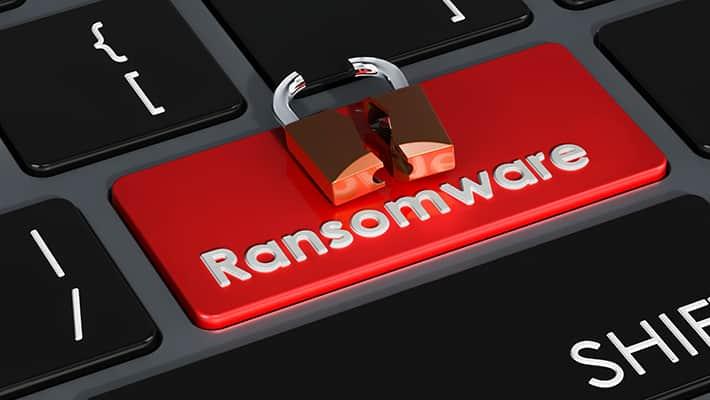
Ransomware is malicious software that seizes control of your files or your entire device and holds them hostage until you pay. It doesn't steal your computer, it just locks the door and charges you for the key.
What is a ransomware attack really, and how do you stop one? Here's how these attacks unfold, what they can do, and how to protect against ransomware by making yourself a much harder target.
- Ransomware is extortion software that encrypts files, locks devices, or steals data until a ransom is paid.
- Most infections begin with phishing emails, malicious downloads, stolen passwords, or unpatched software.
- Modern attackers often copy data out before encrypting it, so backups alone may not undo the damage.
- Paying is rarely the right decision; decryption can fail and stolen data may still be leaked.
- Isolated backups, prompt updates, strong account security, and security software together greatly reduce your risk.
- If a device is infected, disconnect it immediately and keep the ransom note as evidence.
What is ransomware in cybersecurity?
In cybersecurity, the ransomware definition is simple: malware built for extortion. It blocks access to files or a device, usually through encryption, and demands payment. Many variants steal data first, making it one of the most serious cyber security threats today.
The name combines "ransom" and "software," and it describes a business model as much as the type of program. Where a threat like spyware profits from staying hidden, ransomware only pays off when the victim knows their files are locked and understands what the attacker wants.
Is ransomware a virus?
Not exactly. Both are types of malware, but they're named for different things. A virus is defined by how it spreads, inserting copies of itself into other files or programs. Ransomware is defined by what it does: encrypt your files and demand payment.
How does ransomware work?
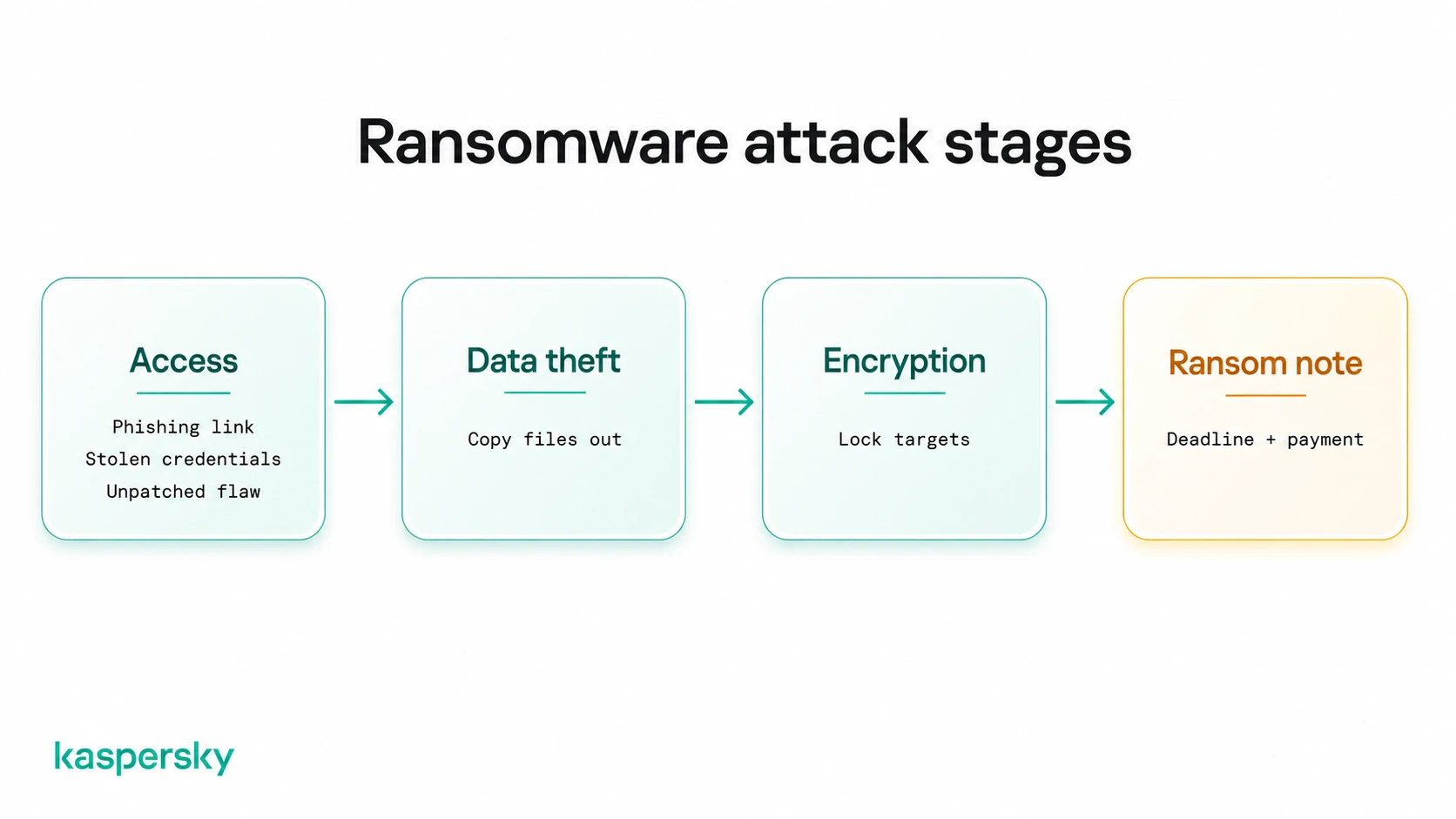
Ransomware works in stages. The malware first gains access to a device, then locates important data, in many cases copies it out, encrypts the files, and displays a ransom demand.
How do attackers gain access?
There are three main routes: phishing email, stolen credentials, and unpatched software. Only the first needs someone to click, so an infection can begin without any obvious download at all.
A phishing message poses as an invoice, a delivery notice, or a colleague, and the attachment or link installs the malware when opened. Compromised websites and fake software downloads work on the same principle.
The credential route is more subtle. A password exposed in an unrelated breach may still work on a remote access portal months later, which gives the attacker a valid login rather than a foothold to fight for.
Unpatched software removes the need for deception altogether. The attacker exploits the flaw, and no user action is required.
What happens after attackers gain access?
Attackers rarely encrypt anything right away. First they map the network, single out the most valuable files, and copy them to their own servers. Only then are the files encrypted and the ransom note delivered, with a deadline and a threat to publish the stolen data.
Reconnaissance can run for days or weeks, and usually focuses on whatever the victim can least afford to lose, such as photo libraries on a home machine, or customer records or backups on a company network.
Why do attackers demand payment?
The victim will pay more for their own files than anyone else ever would. Stolen data has to be sold to whoever is buying, at whatever price they offer. Locking an organization out of its own systems creates a buyer who must negotiate.
What are some examples of ransomware?
Ransomware attacks date back to 1989, when a primitive program distributed on floppy disks demanded payment by mail, and it has evolved steadily since the mid-2000s. Two attacks in particular have reset expectations for how far and how fast ransomware can spread.
WannaCry
In May 2017, WannaCry infected around 200,000 computers across roughly 150 countries within days. It spread on its own through a flaw in outdated Windows systems, needing no email trick and no click from anyone. A patch for that flaw had been available for weeks, and machines that installed it were untouched. WannaCry made ransomware front-page news, and its lesson still holds: unpatched software can turn one infection into an epidemic.
Maze and modern ransomware
Maze changed the playbook in 2019. Its operators stole data before encrypting it and published samples from victims who refused to pay, proving that a good backup is no longer enough. That approach quickly became standard. Groups such as LockBit, Akira, and Qilin now run operations that resemble businesses, complete with negotiation portals and leak sites.
What are the main types of ransomware?
Ransomware types are usually sorted by what the malware does to your data and device rather than by the group behind it. In short, what does ransomware do? It encrypts your files, locks your device, steals your data, or some combination of the three.
Crypto ransomware
Crypto ransomware encrypts individual files using strong cryptography while leaving the device running. Documents, spreadsheets, and photos remain visible but refuse to open, often renamed with an unfamiliar extension. The computer works just well enough to display the ransom demand.
Locker ransomware
Locker ransomware blocks the whole device instead of individual files. A full-screen message replaces the normal desktop, and the keyboard and mouse respond only enough to enter payment details. The files underneath are often left intact, which can make lockers easier to recover from than crypto ransomware.
Data-theft ransomware
Some modern ransomware prioritizes stealing sensitive information alongside or, in some cases, instead of encrypting files. The extortion comes from threatening to expose or sell the stolen data, which means restoring files from a backup does not resolve the privacy risk.
What are double extortion, triple extortion, and Ransomware-as-a-Service?
Ransomware has become an industry, and these three terms describe how it runs rather than how the code works.
Double and triple extortion
Double extortion pairs encryption with theft. Pay for the decryption key and you may still face a second demand to keep the stolen files private. Triple extortion piles on further pressure, such as contacting a victim's customers, taking services offline, or harassing employees directly.
What is Ransomware-as-a-Service?
Ransomware-as-a-Service, or RaaS, works like a subscription business. Developers build the malware and payment infrastructure, then rent them to cybercriminals who carry out attacks and share the proceeds. This model removed the need for technical skill, and the number of active attackers has grown accordingly, helping make ransomware one of the most profitable forms of cybercrime. It also explains why one ransomware family can appear in thousands of unrelated attacks.
What are the warning signs of ransomware?
Ransomware often gives itself away before or during an attack, and early recognition can limit the damage. If several of the signs below appear together, treat the device as infected and act immediately.
Common signs of an infection
Watch for these symptoms in particular:
- Files that suddenly will not open, or that carry strange new extensions
- A ransom note appearing as a text file, wallpaper, or pop-up
- A locked screen demanding payment to restore access
- Security software that has been disabled without your input
- Unusual disk activity or a noticeably sluggish system
- Files on network drives, shared folders, or connected devices becoming unreadable
What does a ransom note look like?
Most ransom notes follow a template: a statement that files are encrypted or stolen, a price in cryptocurrency, payment instructions or a contact channel, and a deadline. Some add a countdown timer or a threat to publish the data.
If you discover a ransom note, disconnect the affected device immediately and avoid deleting encrypted files until you've identified the ransomware family.
How does ransomware spread across your devices?
Getting onto a single machine is the easy part for an attacker. The damage comes from what happens as the infection spreads outward.
Network drives and shared folders
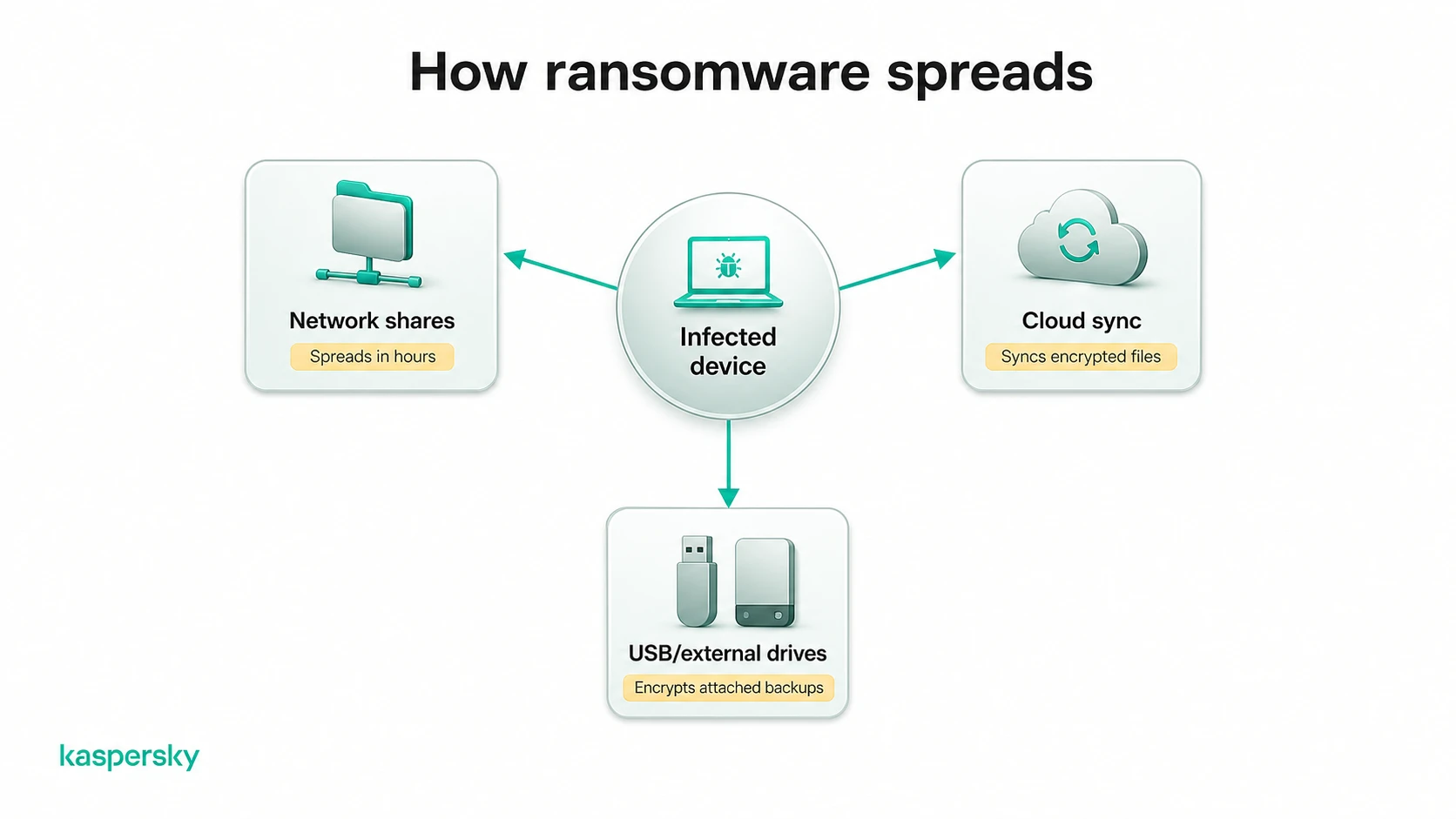
Ransomware treats the first machine as a starting point. Anything the compromised user could open, the malware can open, which puts mapped drives and shared folders in range immediately. Some strains also scan the network for other devices, and that's how one laptop becomes a company-wide problem within hours.
Cloud storage and backups
Sync is not a backup. If a folder on the infected machine syncs to the cloud, encrypted versions may replace the healthy ones automatically. Attackers know this too, and locating backups to delete them is a routine step in modern attacks.
Removable media
USB drives and external disks are simpler, and still effective. Anything connected at the time of encryption is likely to be encrypted with everything else, so a backup drive left plugged in permanently offers less protection than it appears to.
The common thread is connection, which is why isolating an infected device early matters so much.
What damage can ransomware cause?
The ransom demand is the most visible cost of an attack, but for individuals and businesses alike, the damage extends far beyond the ransom itself.
Effects on individuals
For a home user, the losses are personal. A decade of family photos, tax records, cloud storage and saved documents can become unreachable in an afternoon. If the attackers also stole data, identity theft becomes a lasting worry. Many victims describe the stress as the worst part, and it can linger long after the technical problem is fixed.
Effects on businesses
For an organization, downtime is usually the largest expense. Orders stall, staff sit idle, and customers go elsewhere while systems are rebuilt.
Stolen data may trigger breach notifications, regulatory scrutiny, and difficult conversations with clients whose information leaked. Small businesses are frequent targets because attackers expect thinner defenses.
How to prevent ransomware?
There's no way to avoid ransomware entirely, but a few simple habitsprevent the large majority of attacks.
Back up your data
Backups turn a disaster into an inconvenience. Follow the 3-2-1 rule, keeping three copies of your data on two different types of storage with one held offline or offsite. For the offline copy, use a disconnected external drive or a dedicated backup service rather than cloud sync, which mirrors encrypted files too.
Keep software and devices updated
Updates close the security holes that ransomware exploits, so turn on automatic updates for your operating system, browser, applications, and computer security software.
Protect your accounts
Stolen logins are now a standard way in, so account security is ransomware defense. Use a unique password for every account, let a password manager remember them, and switch on multi-factor authentication wherever it is offered. Prioritize the accounts that matter most if compromised: email, cloud storage, and anything that allows remote access to your devices.
Use trusted security software
Security software adds the layer that habits cannot, watching for malicious files, suspicious behavior, and the telltale activity of encryption in progress. A dedicated anti-ransomware tool can block many attacks before any files are touched. Treat it as one layer among several rather than a substitute for backups and updates.
Stop ransomware before it locks your files
Kaspersky Premium watches for the encryption activity that ransomware relies on and blocks it in real time. Anti-phishing shuts down the most common way infections start.
Try Premium for freeWhat should you do after a ransomware attack?
After a ransomware attack the goal is to contain the damage and work out what you are dealing with, before you make any decisions about recovery.
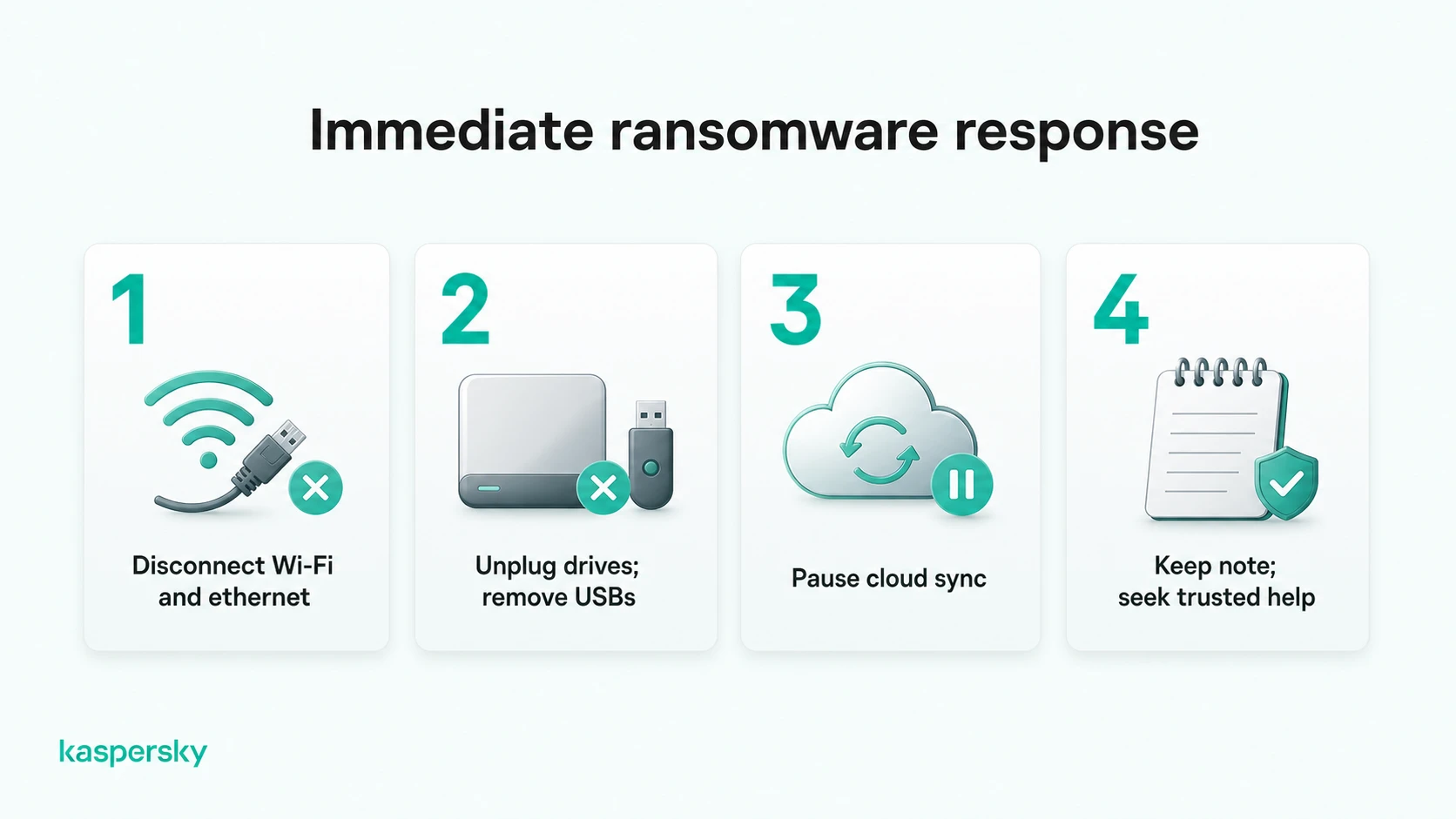
Isolate the infected device
Disconnect the machine from Wi-Fi and unplug any network cable the moment you suspect ransomware. Remove attached external drives and USB sticks, and pause cloud sync from another device if you can.
Isolation stops the malware from reaching shared folders and other machines on the network. If a work device is affected, tell your IT team immediately, since they may want to handle containment themselves.
Preserve evidence and seek trusted help
Keep the ransom note, and do not delete the encrypted files. Both can identify the ransomware family, which determines whether a free decryptor exists. Photograph what is on screen and note when the trouble started.
The No More Ransom project, run by law enforcement agencies and security companies, offers identification tools and legitimate decryptors at no cost. Reporting the attack to your local authorities can also be worthwhile, and in some places is required for businesses.
Should you pay the ransom?
Paying is generally discouraged. There is no guarantee the decryption key will arrive or work; some victims pay and recover nothing. Stolen data may be leaked or sold anyway, since a criminal's promise to delete it cannot be verified. Payment can also mark you as a willing payer, inviting repeat extortion, and in some jurisdictions it may carry legal risk.
Can ransomware-encrypted files be recovered?
The ability to recover depends on whether you have clean backups or a working decryptor for the particular ransomware family involved.
Restore files from backups
Backups are the most reliable route back, with one condition. Restore only after the ransomware has been fully removed, or the fresh copies may be encrypted again. An offline or offsite backup made before the infection is ideal. Check your cloud service's version history too, since some keep older copies of files that survived the attack even when the live versions did not. Test the restored files before assuming the incident is over.
Check for legitimate decryptors
Free decryptors exist, but only for certain ransomware families, usually those whose developers made mistakes or whose keys were seized by police. No More Ransom's identification tool can name the strain from a sample file and point to a matching decryptor if one exists. Avoid "free decryptor" downloads found through search results, a favorite disguise for further malware. If no decryptor exists today, keep the encrypted files. One may be released at a later date.
Kaspersky is tested against real-world ransomware and infostealer attacks by independent labs on an ongoing basis. In AV-TEST's Advanced Threat Protection test (November-December 2025), Kaspersky Premium was one of just seven consumer products to score a perfect 35 out of 35 for protection against a battery of Windows ransomware and infostealer attack chains, while Kaspersky Endpoint Security and Kaspersky Small Office Security both achieved the same maximum 35 out of 35 score in the business version of the test. In SE Labs' Q1 2026 Home Anti-Malware report, Kaspersky Premium likewise provided complete protection against every targeted attack used in that test, earning SE Labs' AAA award.
Related Articles:
- What is Cybercrime: Risks and Prevention
- What steps are involved in ransomware removal?
- How to prevent ransomware from infecting your devices effectively?
- What should you know about Cryptolocker malware?
Related Products:
FAQs
Can ransomware infect smartphones?
Yes, mainly Android. It usually arrives through sideloaded apps, fake updates, or malicious links, and most often locks the screen rather than encrypting files. iPhones are rarely affected, though scam pop-ups sometimes imitate ransomware to frighten users into paying.
Does ransomware only target businesses?
No. Businesses draw larger demands, but individuals are hit constantly through phishing, malicious downloads, and infected sites. Home users can be easier victims, since fewer keep isolated backups or run current security software on every device.
Can ransomware spread to other devices on my network?
Yes. Many strains scan for network drives, shared folders, and connected devices after infecting one machine. Cloud sync and always-connected drives can copy encrypted files over backups too. Disconnecting the infected device limits the spread.
How long does a ransomware attack take?
Encryption itself can finish in minutes or hours. But attackers who steal data first may spend days or weeks inside a network, so the visible attack feels sudden only because the preparation went unnoticed.