Tip of the week: Protecting inexperienced PC users

Using the Trusted Applications mode Kaspersky Internet Security 2017 lets users launch only trusted, reliable apps.

Using the Trusted Applications mode Kaspersky Internet Security 2017 lets users launch only trusted, reliable apps.

Venturing online can be overwhelming in the beginning — even scary, and with good reason. To help beginners explore their PC and the Internet safely, turn on Trusted Applications mode in Kaspersky Internet Security 2017.

In this mode, users can launch only trusted software. Kaspersky Internet Security 2017 checks if the program is in the list of trusted applications. If not, our solution blocks the launch.

To activate Trusted Applications mode, open Kaspersky Internet Security and choose More Tools:
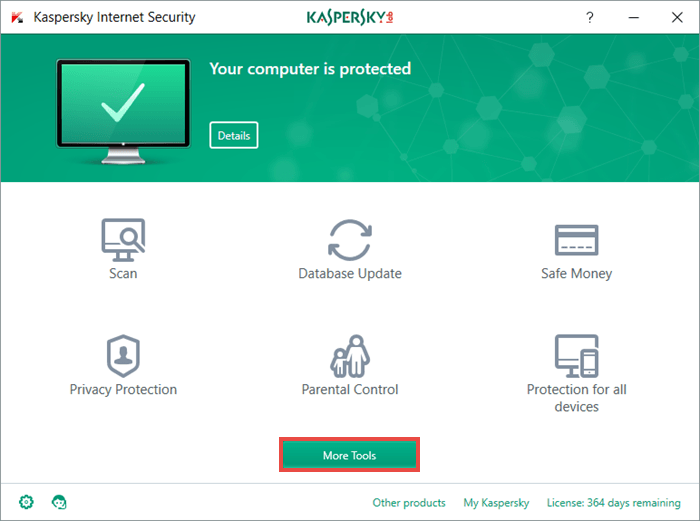
To activate Trusted Applications mode, open Kaspersky Internet Security and choose More Tools

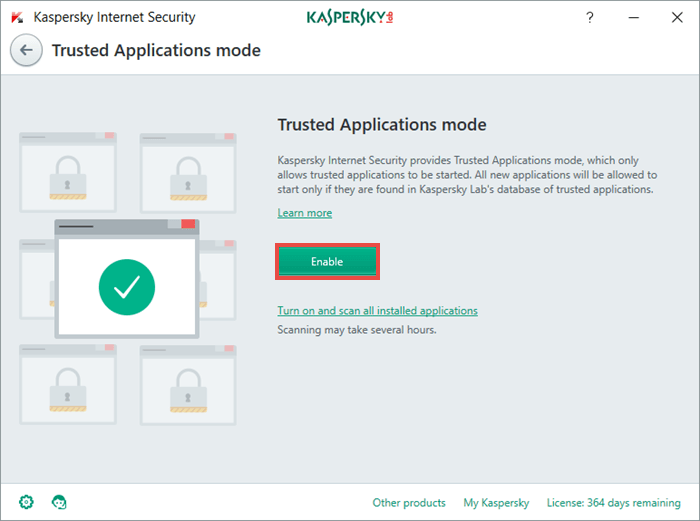
Then choose Trusted Applications mode:

Then choose Trusted Applications mode

Last step: Click the Enable button and you’re done!
You can read more about Trusted Applications mode in our Knowledge Base.

You can read more about Trusted Applications mode in our Knowledge Base.

Tips

Cracked in under a minute: (nearly) every other password

We’ve revisited our study on the crackability of real-world passwords leaked on the dark web — originally conducted two years ago. The findings are sobering: nearly every other password can be cracked in under a minute, and three out of five take less than an hour. How can we move away from insecure passwords?