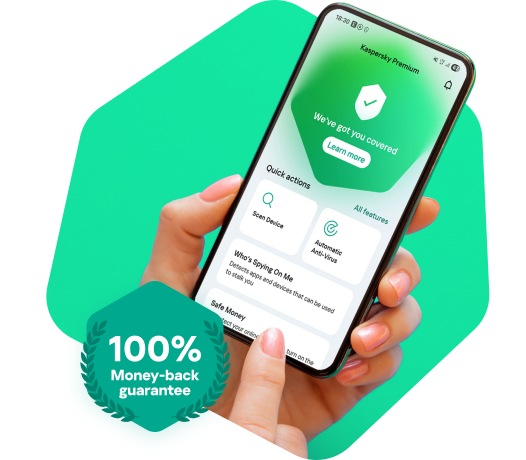
Online threats are constantly evolving and increasing in number, including ransomware, malware, phishing, cryptojacking, and Remote Access Trojans. With Kaspersky's new plans, you can enjoy real-time protection against these growing threats, keeping your sensitive data and devices safe.
How could I find out that my computer is infected?
If your computer is slower than usual, it could be a sign of device infection. Malware, adware, spyware, trojan horses, and worms can put your sensitive data at risk. Other signs of an infection include pop-up windows and the automatic opening of unknown websites.
What is real-time protection, and why is it important?
Real-time protection is essential in antivirus software like Kaspersky’s new plans. It provides continuous 24/7 protection against online threats, monitors for suspicious files and programs, and detects and prevents attacks, without the need for manual scans.
What is the difference between free and paid antivirus software?
Free antivirus software may not offer adequate protection against advanced security threats like zero-day attacks, ransomware, spyware, and phishing attacks. Paid antivirus solutions like Kaspersky's new plans provide comprehensive and robust malware protection, preventing data breaches and identity theft for more peace of mind.
Kaspersky Antivirus FAQs
Kaspersky offers three primary plans tailored to different security needs: Kaspersky Standard, Kaspersky Plus, and Kaspersky Premium. Kaspersky Standard provides essential antivirus and performance optimization, while Kaspersky Plus adds features like an unlimited VPN and a password manager for enhanced privacy. For the most comprehensive protection, Kaspersky Premium includes identity protection and 24/7 priority support.
Yes, if you have an active Kaspersky Anti-Virus subscription, you may be eligible for a free upgrade to the new Kaspersky Standard plan for the remainder of your license term. You can easily transition by downloading the latest version from the official website or checking your eligibility through the My Kaspersky portal. For those seeking more than essential security, moving to Kaspersky Plus adds an unlimited VPN and Password Manager, while Kaspersky Premium provides a complete identity protection suite and 24/7 priority support.
Kaspersky consistently achieves industry-leading results by participating in more independent tests than any other security vendor. According to official "TOP3" metrics, our products have secured a top-three finish in over 90% of all assessments conducted by prestigious labs like AV-Test and AV-Comparatives. These high scores across malware detection, performance, and usability validate Kaspersky’s commitment to providing world-class protection for all users.
Kaspersky solutions are engineered to provide maximum protection with minimal impact on your system's performance. Our products consistently receive top scores in independent performance tests for their efficiency and ability to run smoothly during daily tasks and gaming. Additionally, built-in features like Performance mode allow you to further optimize resource usage to ensure your computer remains fast and responsive.
Kaspersky’s advanced security plans also include features such as a password manager and a VPN, providing additional layers of protection for your online activities.
Kaspersky distinguishes itself through a multi-layered defense strategy that utilizes advanced behavioral analysis and cloud-based intelligence to proactively block even the most sophisticated threats. Our products consistently achieve top rankings in independent industry tests, demonstrating industry-leading protection with minimal impact on system performance. Furthermore, our Global Transparency Initiative reinforces our commitment to reliability by allowing for the independent verification of our source code and internal processes.
Yes, you can secure several devices like computers and phones using just one activation code when you purchase multi-device licence. While the basic Kaspersky Standard plan covers essential security, stepping up to Kaspersky Plus or Kaspersky Premium allows you to protect even more devices while adding an unlimited VPN and identity theft safeguards. You can easily manage every protected Windows, Mac, Android, or iOS device through your My Kaspersky account to check their status at a glance.
Kaspersky Antivirus provides multi-layered protection by scanning files, web traffic, and applications in real-time to detect and block malicious activity. It utilizes advanced machine learning and heuristic analysis to identify both known malware and sophisticated, emerging cyberthreats before they can cause harm. Additionally, features like System Watcher monitor application behavior to proactively defend against ransomware and roll back any unauthorized changes to your system.
Kaspersky uses a multi-layered defense that proactively blocks ransomware and features System Watcher to automatically roll back unauthorized changes to your files. While Kaspersky Standard handles these core threats, Kaspersky Plus and Premium add extra layers like data leak checkers and identity protection to secure your most sensitive information. This ensures that even "zero-day" or emerging threats are stopped before they can lock your data.
You can secure all your devices across Windows, macOS, Android, and iOS by choosing any of the new Standard, Plus, or Premium plans. While Kaspersky Plus is a favorite for its unlimited VPN and performance boosters, Kaspersky Premium adds a layer of identity protection and priority support for your most sensitive data. Even Linux users can find specialized protection, ensuring every piece of hardware in your home stays safe through a single subscription.
Kaspersky collects information primarily to improve threat detection and ensure your device remains protected through the Kaspersky Security Network (KSN). This data typically includes details about detected threats, system metadata such as operating system versions, and license information required for product functionality. Users maintain full control over their privacy and can opt out of data sharing via the KSN settings at any time.
What our customers say
See what people like you have to say about us.
I went with Kaspersky because I heard it would be light on my resources. I thought I might sacrifice some protection – but this was not the case!
I went with Kaspersky because I heard it would be light on my resources. I thought I might sacrifice some protection – but this was not the case!
4.5 out of 5 stars
Phillip
I feel like I get just as much if not more protection than any competitors offer. All while running very quietly in the background.
I feel like I get just as much if not more protection than any competitors offer. All while running very quietly in the background.
5 out of 5 stars
Alkirk
A great product for everyone, Kaspersky is easy to use and gives you all-round protection. I like the straightforward way it carries out updates and fixes errors.
A great product for everyone, Kaspersky is easy to use and gives you all-round protection. I like the straightforward way it carries out updates and fixes errors.
4 out of 5 stars
Bernie
My husband and I have used Kaspersky for a couple of years now. We are both big-time gamers and this is the only product we've found that doesn't mess with our World of Warcraft play. It’s the absolute best!
My husband and I have used Kaspersky for a couple of years now. We are both big-time gamers and this is the only product we've found that doesn't mess with our World of Warcraft play. It’s the absolute best!
4 out of 5 stars
Kandee733
As a senior citizen, scams are a part of our everyday life. I've used Kaspersky Protection for many years and will continue to cover myself and my Family with this beneficial service.
As a senior citizen, scams are a part of our everyday life. I've used Kaspersky Protection for many years and will continue to cover myself and my Family with this beneficial service.
5 out of 5 stars
Community A.
Tried other products and always went back to Kaspersky. Solid products, lightweight, intuitive UI. Have it on multiple devices in my family, including teenagers, and never had any systems compromised.
Tried other products and always went back to Kaspersky. Solid products, lightweight, intuitive UI. Have it on multiple devices in my family, including teenagers, and never had any systems compromised.
4 out of 5 stars
RCanuck
Buy with confidence
At Kaspersky, we're confident that your new Kaspersky Antivirus for Android will fully protect your Android devices, so we offer a 30-day money-back guarantee.
If you are not satisfied with your new plan, please let us know and you will receive a full refund.
Choose the protection that's right for you
Explore the security features in each of our products below
Microsoft Windows 8 & 8.1 / Pro / Enterprise / 8.1 update
Microsoft Windows 7 Starter / Home Basic & Premium / Professional / Ultimate – SP1 or higher
Processor: 1 GHz or higher, x86 or x64
Memory (RAM): 1 GB (32-bit) or 2 GB (64-bit)
Minimum screen resolution: 1024 x 768
Linux® — computers and laptops with support for 64-bit architecture
4 GB of free hard disk space
Uncom 2.3.5 and higher
ALT Linux 10 and higher
RedOS 7 and higher
Ubuntu 24.04 and higher
Processor: Core™ 2 Duo 1.86 GHz or higher
RAM: 2 GB
Mac® desktops and laptops
macOS® 14 – 26
3455 MB free space on the hard drive
Memory (RAM): 8 GB
Android smartphones and tablets
11 – 16
150 MB free space
Minimum screen resolution: 320 x 480
iPhone and iPad
iOS® 26
150 MB free space
Footnotes
Please note we do not support the beta versions/previews of new operating systems. Only final, officially released operating systems are supported by the product.
¹ If you’re using Windows 11/10, you might need to download & install all available patches for your Kaspersky security software. Product is not intended to operate on Windows 11/10 Mobile/S/Education/IoT Core editions.↩
⁴ Check availability in your country.
Kaspersky plans have limited mobile platform availability in Anguilla, Albania, Barbados, Bermuda, British Virgin Islands, Cayman Islands, Dominica, Grenada, Guyana, Maldives, Montserrat, Myanmar, Palau, Saint Kitts and Nevis, Saint Lucia, St. Vincent & Grenadines, Suriname, Turks and Caicos Islands, Brunei, Equatorial Guinea, Marshall Islands, United States Virgin Islands. Click here for details.↩
English
Indonesian
Lithuanian
Latvian
Estonian
Spanish
Portuguese
Russian
For all devices
Internet connection required – for product activation & updates and for access to some features
WireGuard® protocol support from the Internet Service Provider is required for a stable VPN connection.
Linux® — computers and laptops with support for 64-bit architecture
4 GB of free hard disk space
Uncom 2.3.5 and higher
ALT Linux 10 and higher
RedOS 7 and higher
Ubuntu 24.04 and higher
Processor: Core™ 2 Duo 1.86 GHz or higher
RAM: 2 GB
Windows®-based desktops and laptops
2600 MB free space on the hard drive
Microsoft Windows 11 Home / Pro / Enterprise
Microsoft Windows 10 Home / Pro / Enterprise
Microsoft Windows 8 & 8.1 / Pro / Enterprise / 8.1 update
Microsoft Windows 7 Starter / Home Basic & Premium / Professional / Ultimate – SP1 or higher
Processor: 1 GHz or higher, x86 or x64
Memory (RAM): 1 GB (32-bit) or 2 GB (64-bit)
Minimum screen resolution: 1024 x 768
Mac® desktops and laptops
macOS® 14 – 26
4475 MB free space on the hard drive
Memory (RAM): 8 GB
Android smartphones and tablets
Android™ 11 – 16
270 MB free space
Minimum screen resolution: 800 x 480
iPhone and iPad
iOS® 26
300 MB free space
Footnotes
Please note we do not support the beta versions/previews of new operating systems. Only final, officially released operating systems are supported by the product.
¹ If you’re using Windows 11/10, you might need to download & install all available patches for your Kaspersky security software. Product is not intended to operate on Windows 11/10 Mobile/S/Education/IoT Core editions.↩
⁴ Check availability in your country.
Kaspersky plans have limited mobile platform availability in Anguilla, Albania, Barbados, Bermuda, British Virgin Islands, Cayman Islands, Dominica, Grenada, Guyana, Maldives, Montserrat, Myanmar, Palau, Saint Kitts and Nevis, Saint Lucia, St. Vincent & Grenadines, Suriname, Turks and Caicos Islands, Brunei, Equatorial Guinea, Marshall Islands, United States Virgin Islands. Click here for details.↩
English
Indonesian
Lithuanian
Latvian
Estonian
Spanish
Portuguese
Russian
For all devices
Internet connection required – for product activation & updates and for access to some features
WireGuard® protocol support from the Internet Service Provider is required for a stable VPN connection.
Linux® — computers and laptops with support for 64-bit architecture
4 GB of free hard disk space
Uncom 2.3.5 and higher
ALT Linux 10 and higher
RedOS 7 and higher
Ubuntu 24.04 and higher
Processor: Core™ 2 Duo 1.86 GHz or higher
RAM: 2 GB
Windows®-based desktops and laptops
2600 MB free space on the hard drive
Microsoft Windows 11 Home / Pro / Enterprise
Microsoft Windows 10 Home / Pro / Enterprise
Microsoft Windows 8 & 8.1 / Pro / Enterprise / 8.1 update
Microsoft Windows 7 Starter / Home Basic & Premium / Professional / Ultimate – SP1 or higher
Processor: 1 GHz or higher, x86 or x64
Memory (RAM): 1 GB (32-bit) or 2 GB (64-bit)
Minimum screen resolution:
1024 x 768
Mac® desktops and laptops
macOS® 14 – 26
4475 MB free space on the hard drive
Memory (RAM): 8 GB
Android smartphones and tablets
Android™ 11 – 16
270 MB free space
Minimum screen resolution: 800 x 480
iPhone and iPad
iOS® 26
300 MB free space
Footnotes
Please note we do not support the beta versions/previews of new operating systems. Only final, officially released operating systems are supported by the product.
¹ If you’re using Windows 11/10, you might need to download & install all available patches for
your Kaspersky security software. Product is not intended to operate on Windows 11/10
Mobile/S/Education/IoT Core editions.
⁴ Check availability in your country. Kaspersky plans have limited mobile platform availability in Anguilla, Albania, Barbados, Bermuda, British Virgin Islands, Cayman Islands, Dominica, Grenada, Guyana, Maldives, Montserrat, Myanmar, Palau, Saint Kitts and Nevis, Saint Lucia, St. Vincent & Grenadines, Suriname, Turks and Caicos Islands, Brunei, Equatorial Guinea, Marshall Islands, United States Virgin Islands. Click here for details.
English
Indonesian
Lithuanian
Latvian
Estonian
Spanish
Portuguese
Russian
We use cookies to make your experience of our websites better. By using and further navigating this website you accept this. Detailed information about the use of cookies on this website is available by clicking on more information.